work
Arkleap Technologies Case Study
Scaling enterprise UX/UI design systems across B2B software
Overview
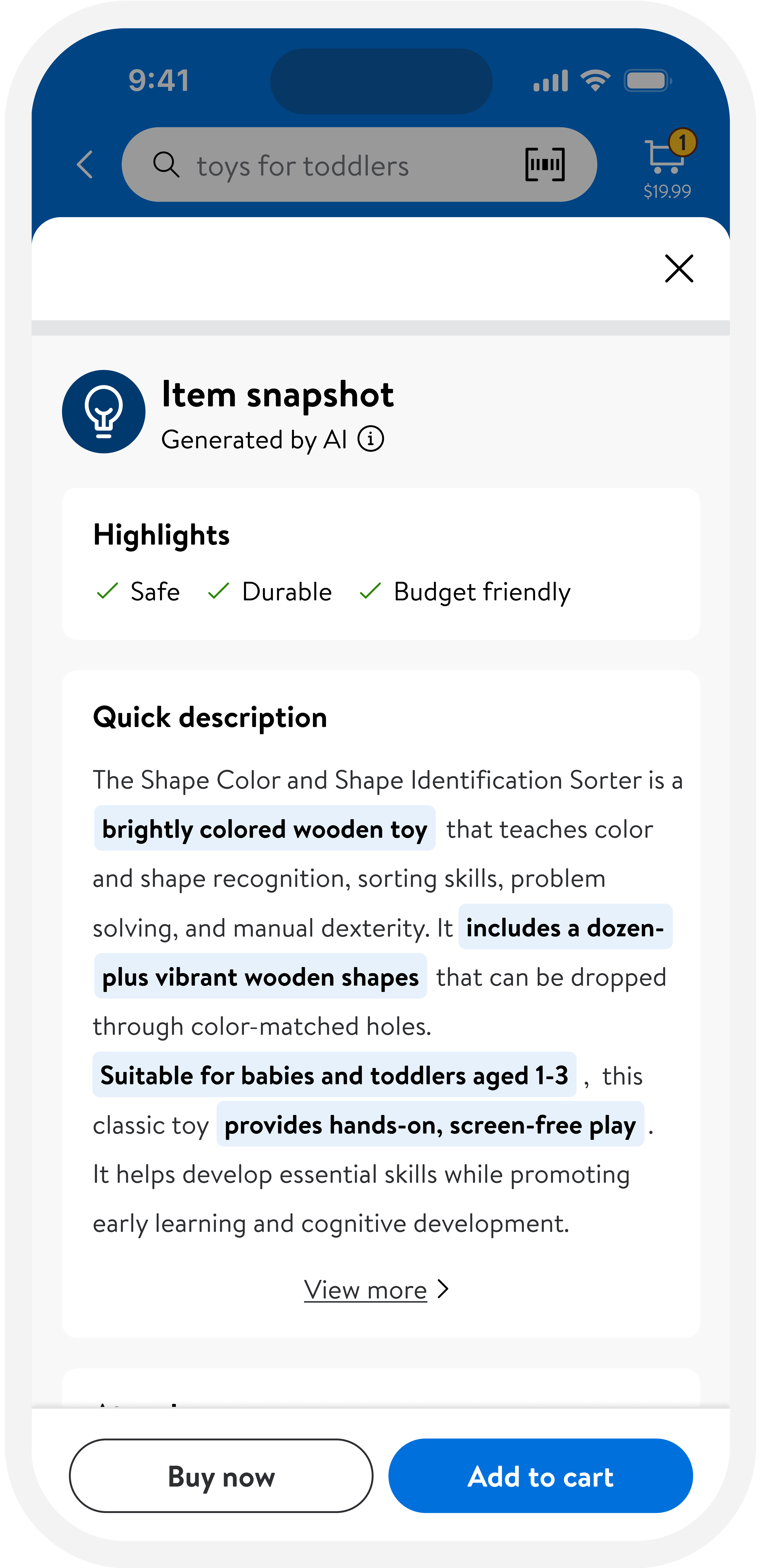
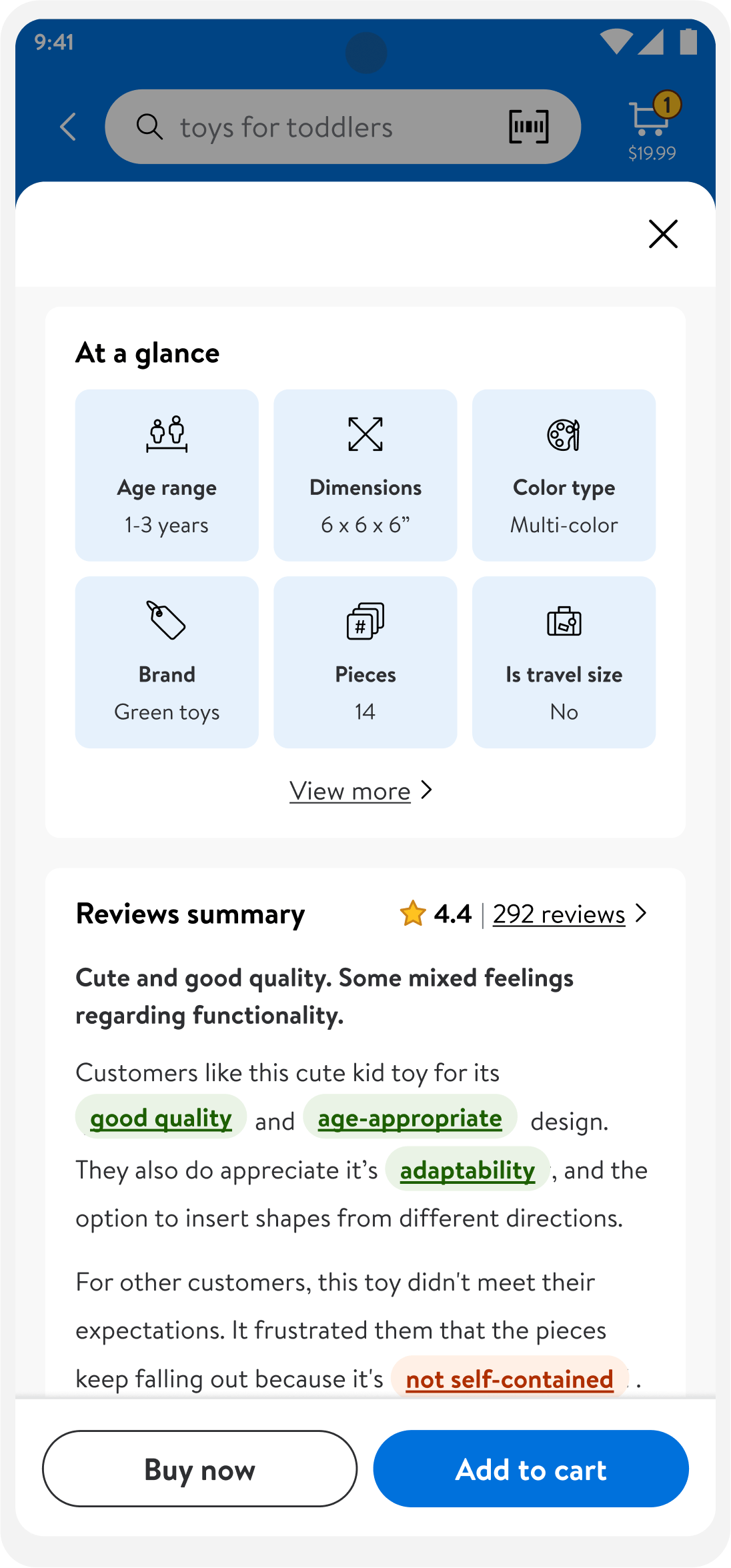
I led the redesign of Arkleap Technologies’ design system, defining which inputs were critical for capturing meaningful insights. To maximize impact, I prioritized key improvements for the MVP, balancing business goals, user needs, and scalability.
I led end-to-end UX/UI for Unilever's e-commerce application and Sales Distribution system, while supervising scalable visual brand guidelines and reusable design systems across software brands.
Goals:
Create reusable, scalable design systems for complex software products.
Improve usability across enterprise workflows and customer-facing applications.
Align visual brand guidelines with product delivery and developer implementation.
Role
Responsibilities
Collaborators
Timeline
The need for scalable systems
Due to tight deadlines, Arkleap Technologies’ 2021 unified site launch included a simplified workflow form, limiting its value for users and business insights.
Business Need
Reusable design systems and brand guidelines that help teams ship consistent software faster.
User Need
Clear, efficient interfaces that reduce friction across complex enterprise workflows.
problem to solve
Complex software ecosystems need consistent UX patterns, scalable visual systems, and domain-aware workflows to improve usability and delivery quality.
quick_reference_all
Research
Domain and product analysis
I worked across many domains to identify repeatable UX patterns, business requirements, and system needs that could scale across products.
1
content
What information and actions do users need in each business workflow?
2
organization
How can complex software feel easier to navigate without losing important functionality?
3
layout structure
What design patterns can scale across teams, products, and brands?
Competitive analysis
Feature ratings
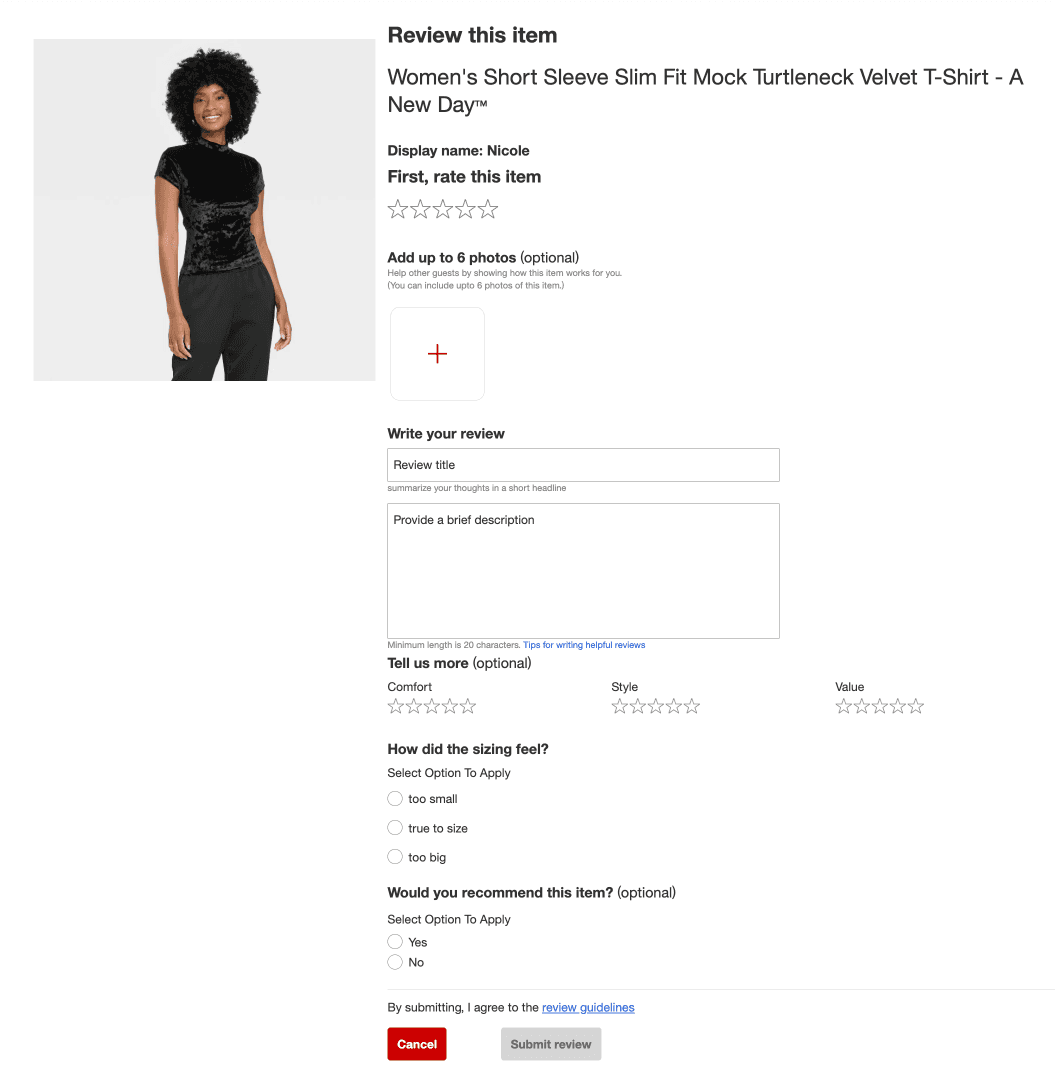
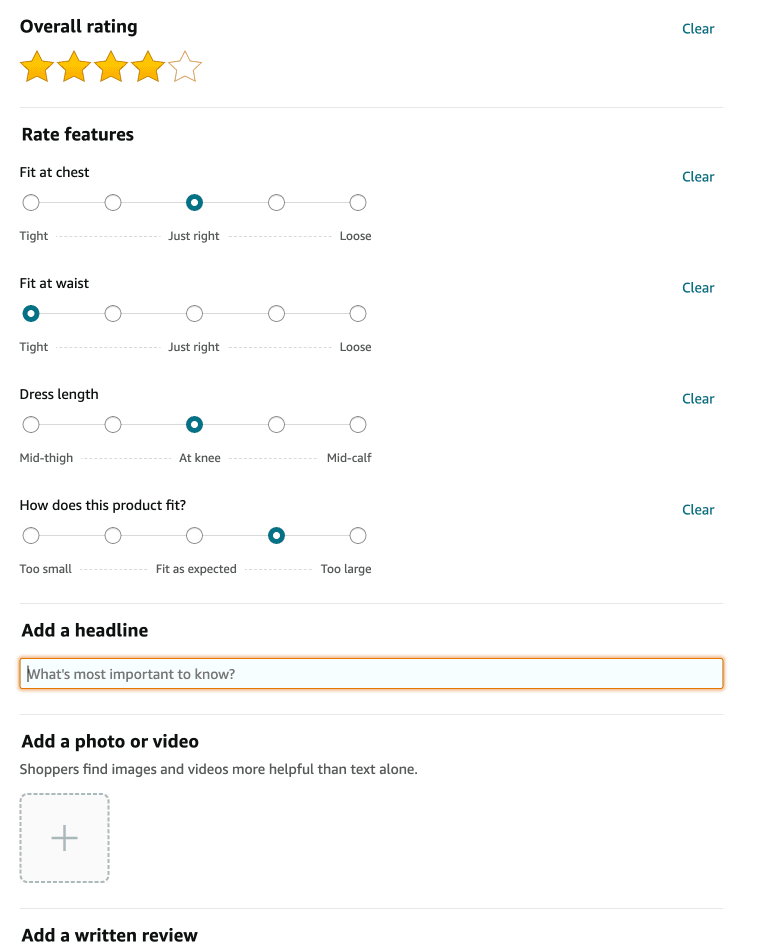
Companies included a varied number of feature ratings in their forms.
Target: Includes three ratings and requires size-specific questions.
Amazon: Offers optional fields for detailed inputs, to help prevent users from feeling overwhelmed.
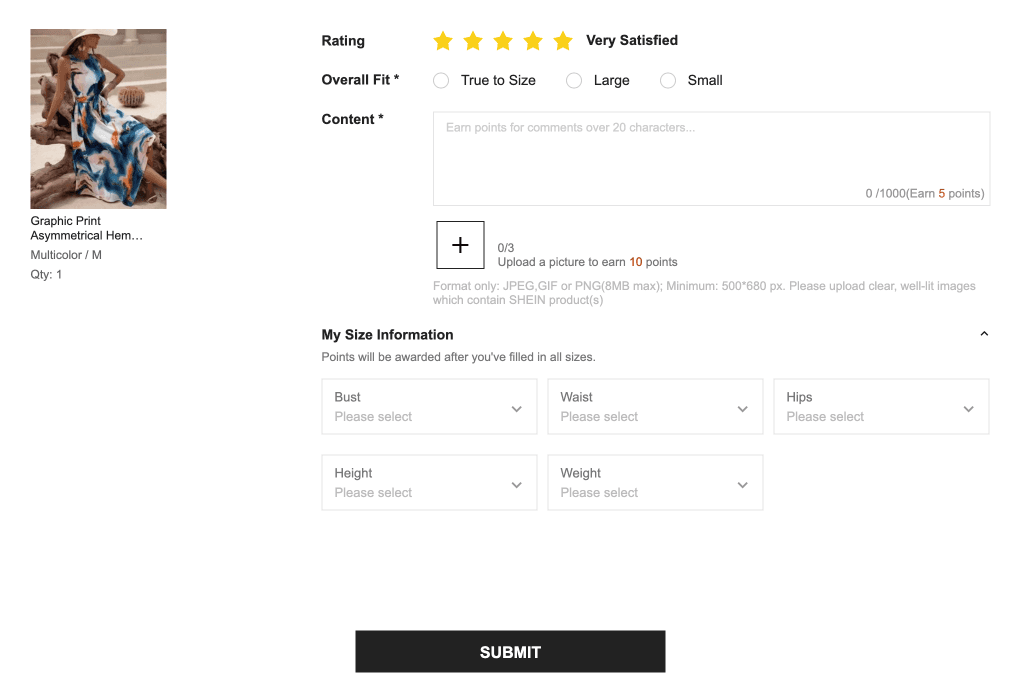
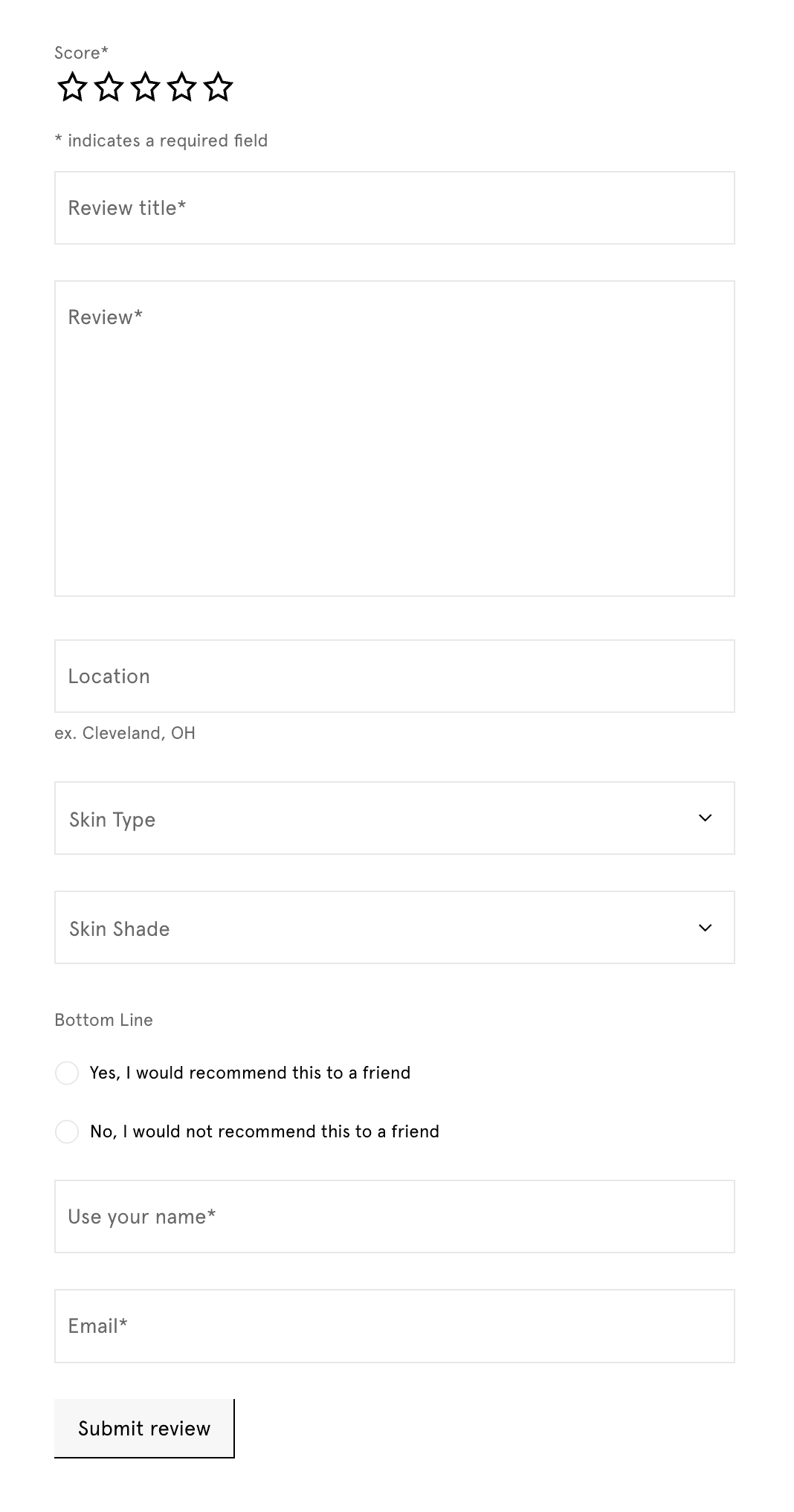
personal details asked
Questions included potentially sensitive information of varying degrees.
Shein: Rewards sensitive inputs like height and weight with points.
Glossier: Marks any sensitive fields as optional for user comfort.
presentation format
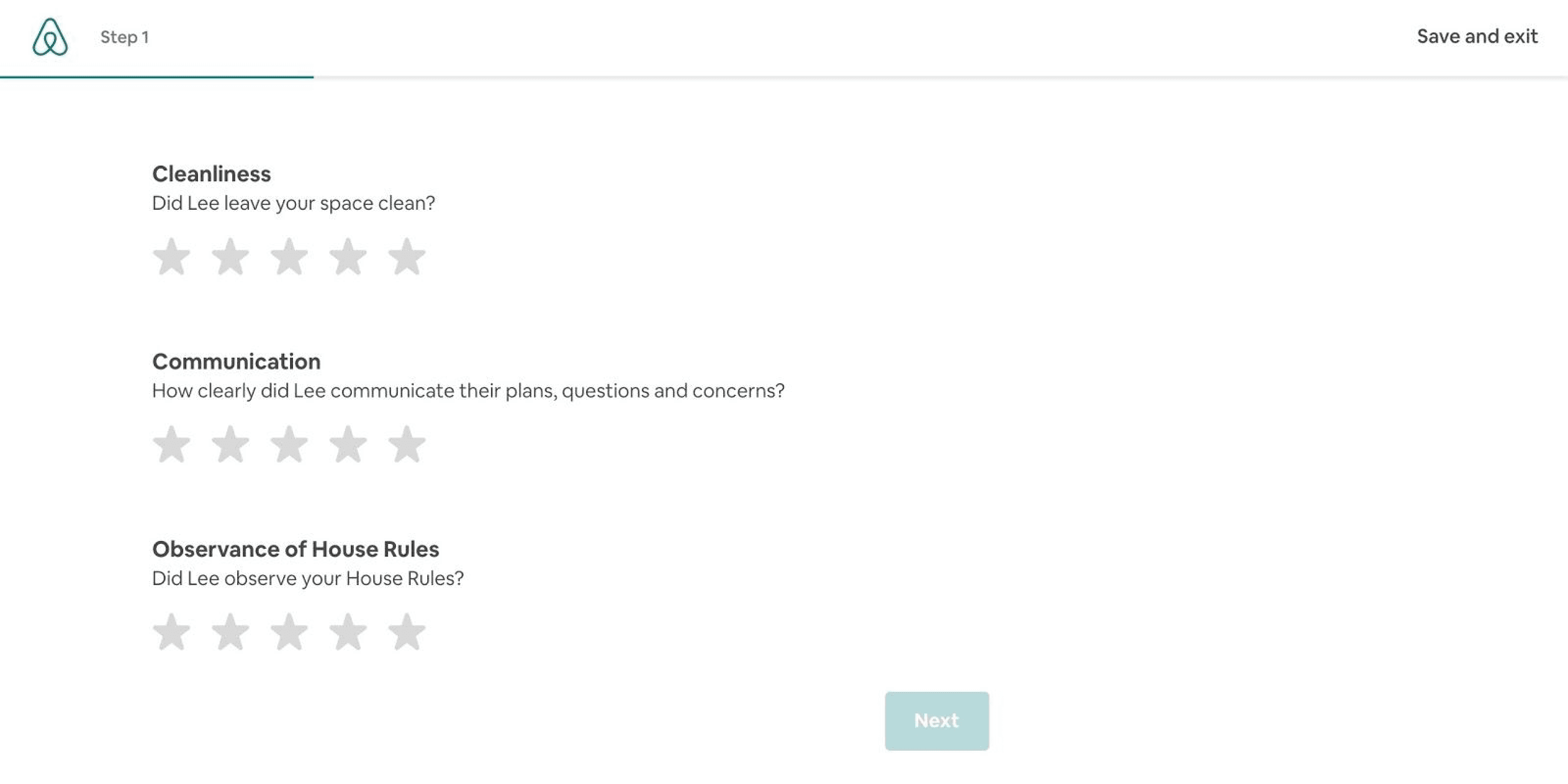
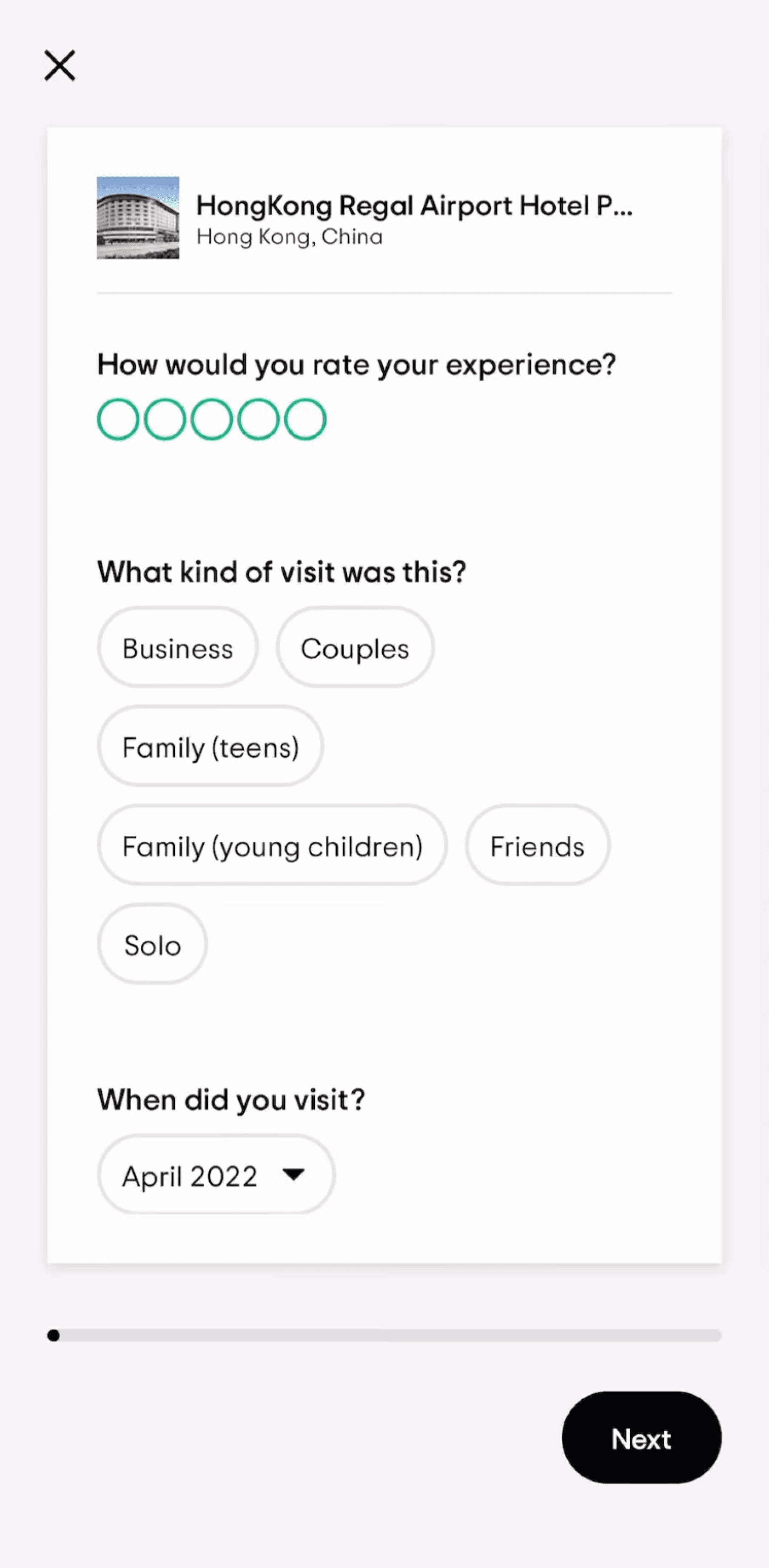
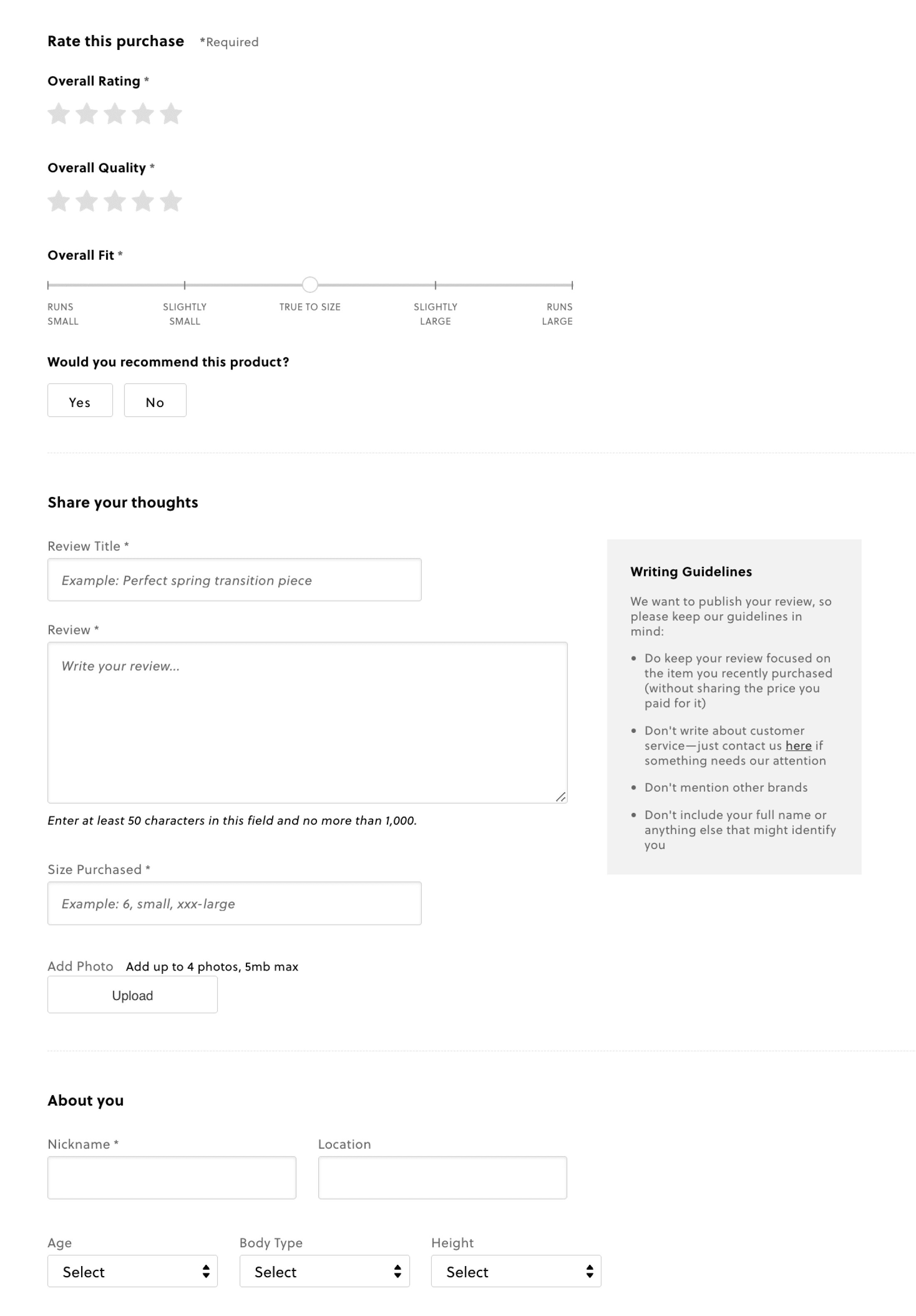
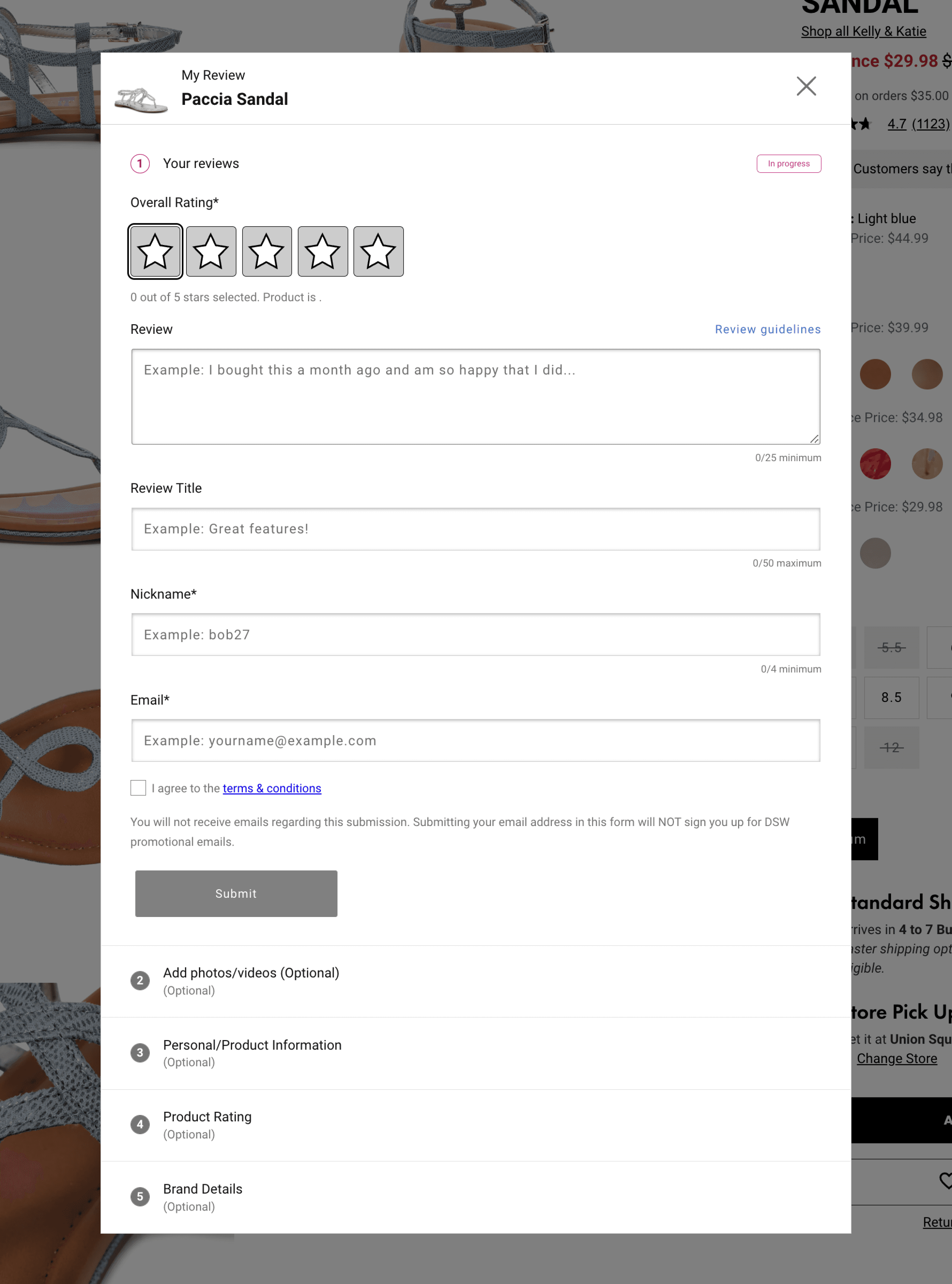
The formats included a single-page layout, a phased approach using an accordion, and a step-by-step wizard format.
Airbnb and Tripadvisor: Use wizard flows with progress bars to guide users through steps seamlessly. (Tripadvisor uses a different approach on desktop).
J.Crew: A single-page layout with clean sections to avoid overwhelm.
DSW: Reusable components sections group inputs but can feel cluttered when too many options are displayed, especially in a modal.
Target
Amazon
Shein
Glossier
Airbnb
Tripadvisor
j.crew
DSW
Answering the key questions
Insights from product work informed reusable systems, clearer flows, and consistent visual direction.
1
content
Focus on critical workflows, clear navigation, structured information, and developer-ready components.
2
organization
Group related tasks and data to reduce user effort across dense enterprise screens.
3
layout structure
Use repeatable patterns and brand guidelines to keep products consistent and scalable.
How might we
How might we create scalable UX/UI systems that make complex enterprise products easier to use and maintain?
lightbulb_2
Ideation
Developing system concepts
Creating reusable product systems
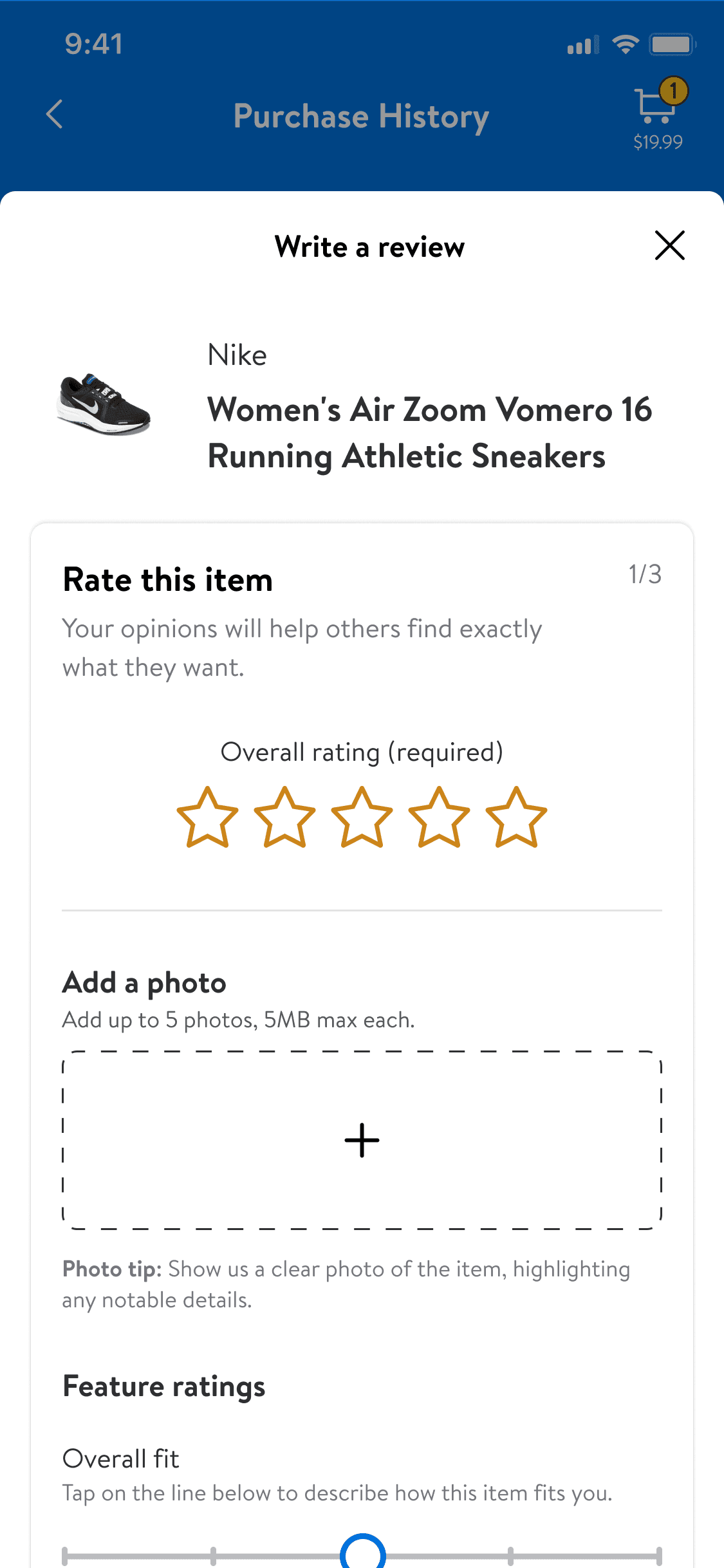
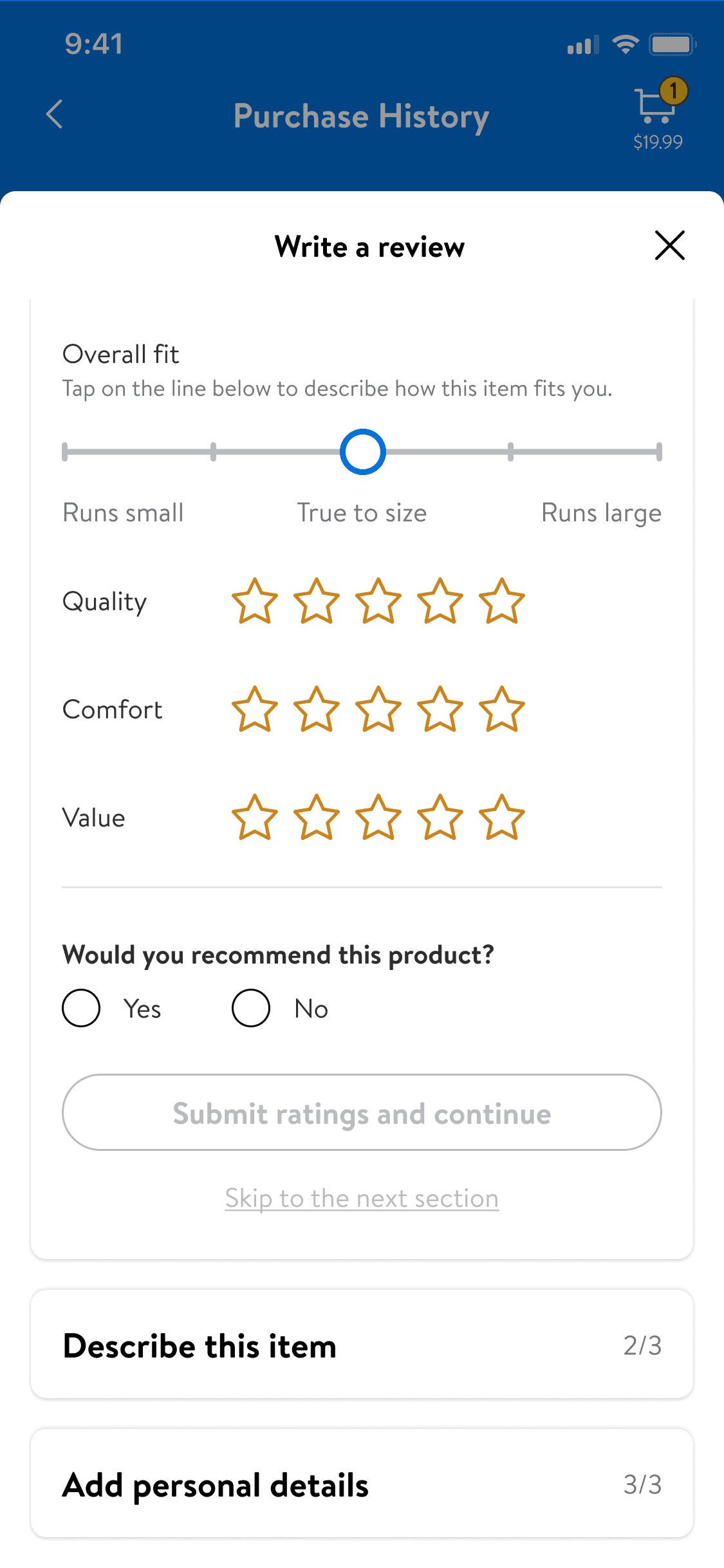
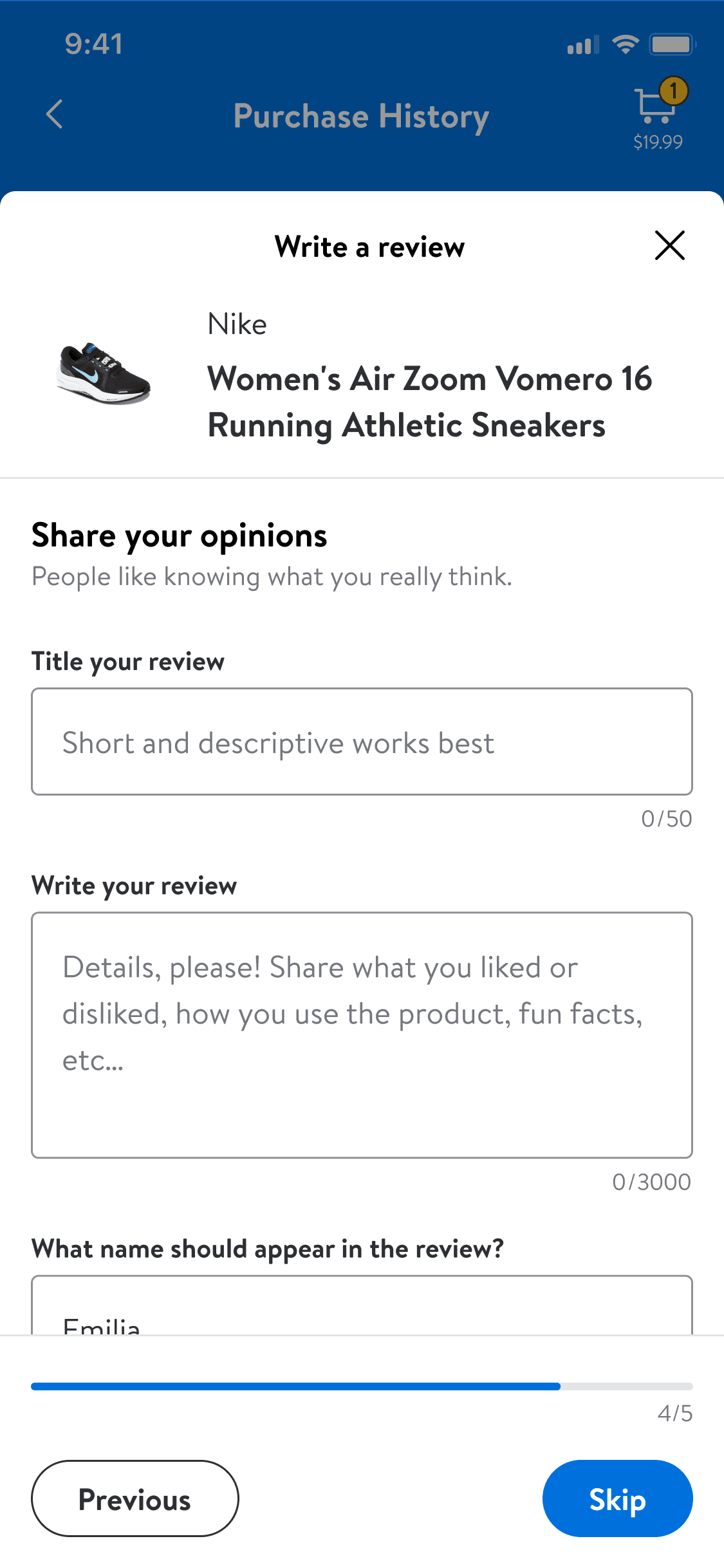
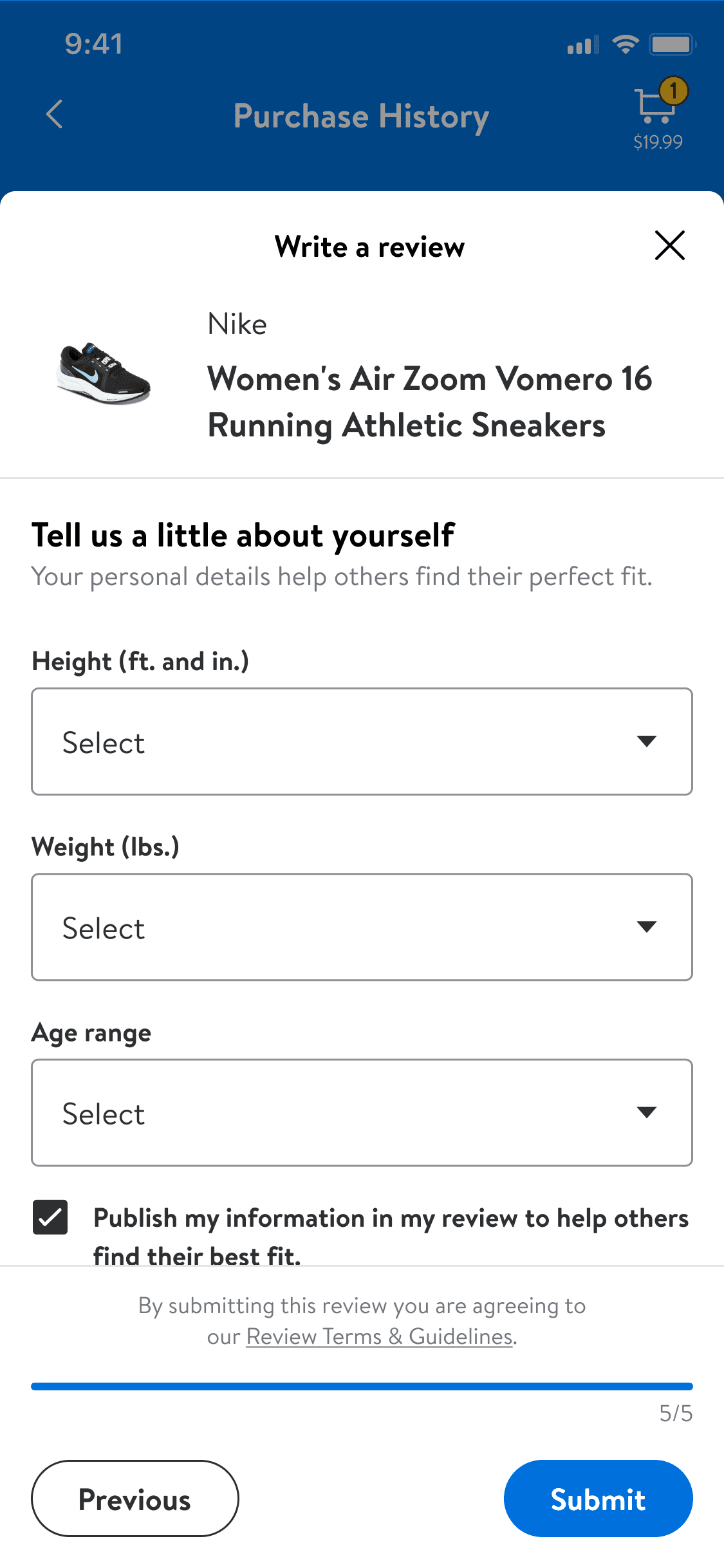
Based on my research, I prioritized key inputs and structured the form to ensure scalability across all verticals. For apparel, I included height and weight to improve fit recommendations, ensuring workflows provided relevant, actionable insights.
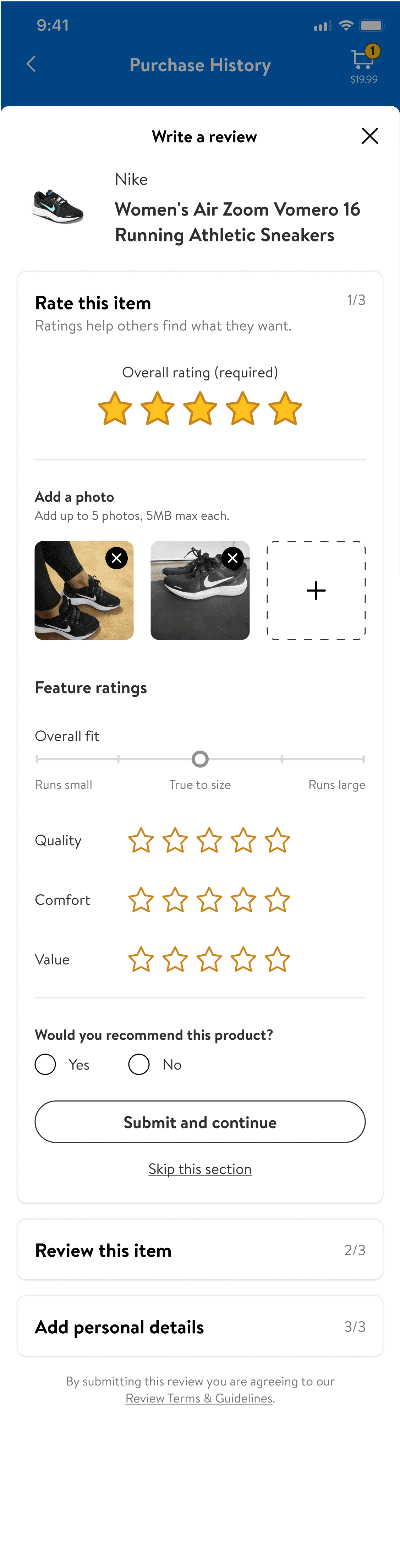
Two design system needs emerged:
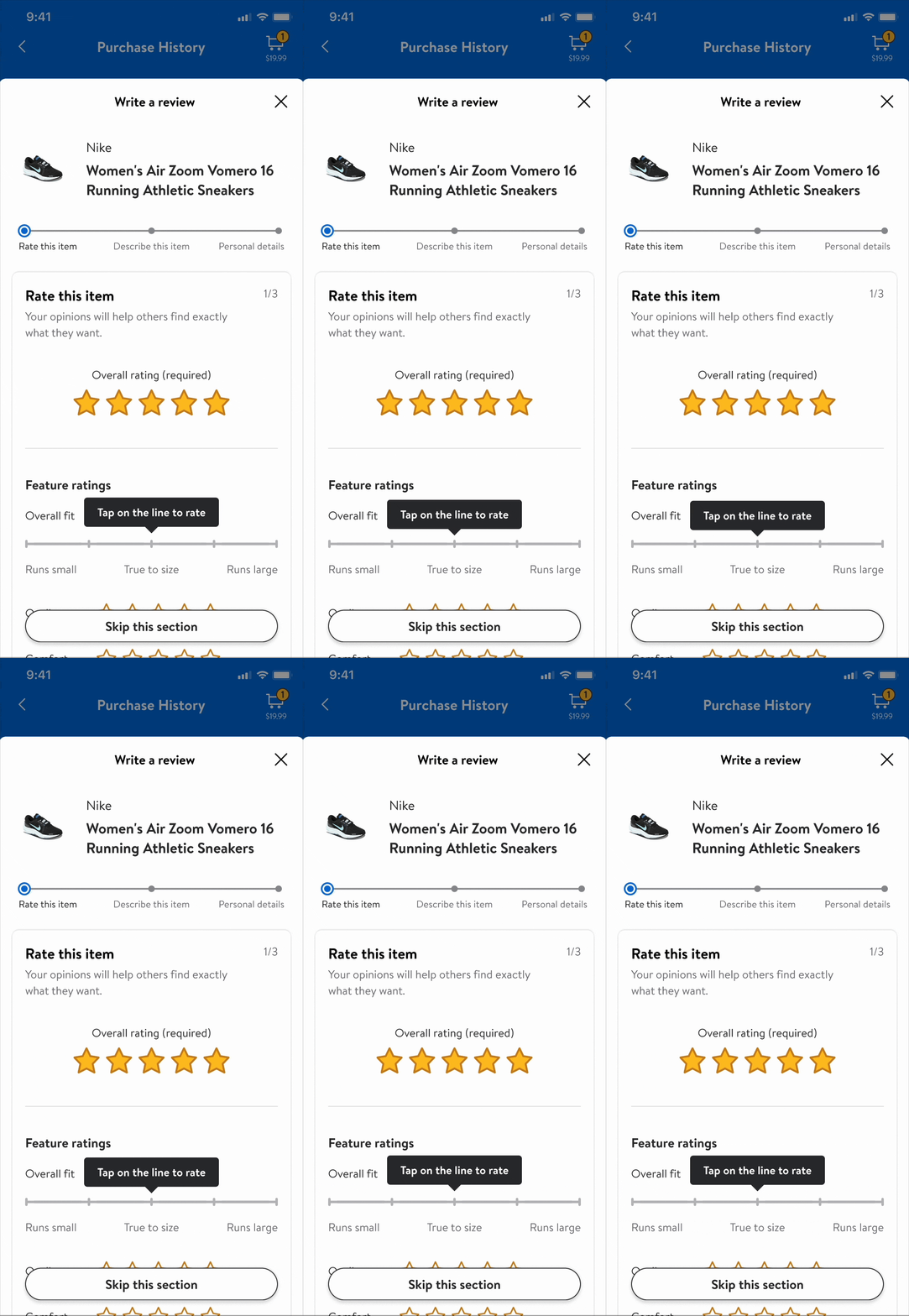
Reusable components: A single-page format with collapsible sections for flexibility and visibility into upcoming content.
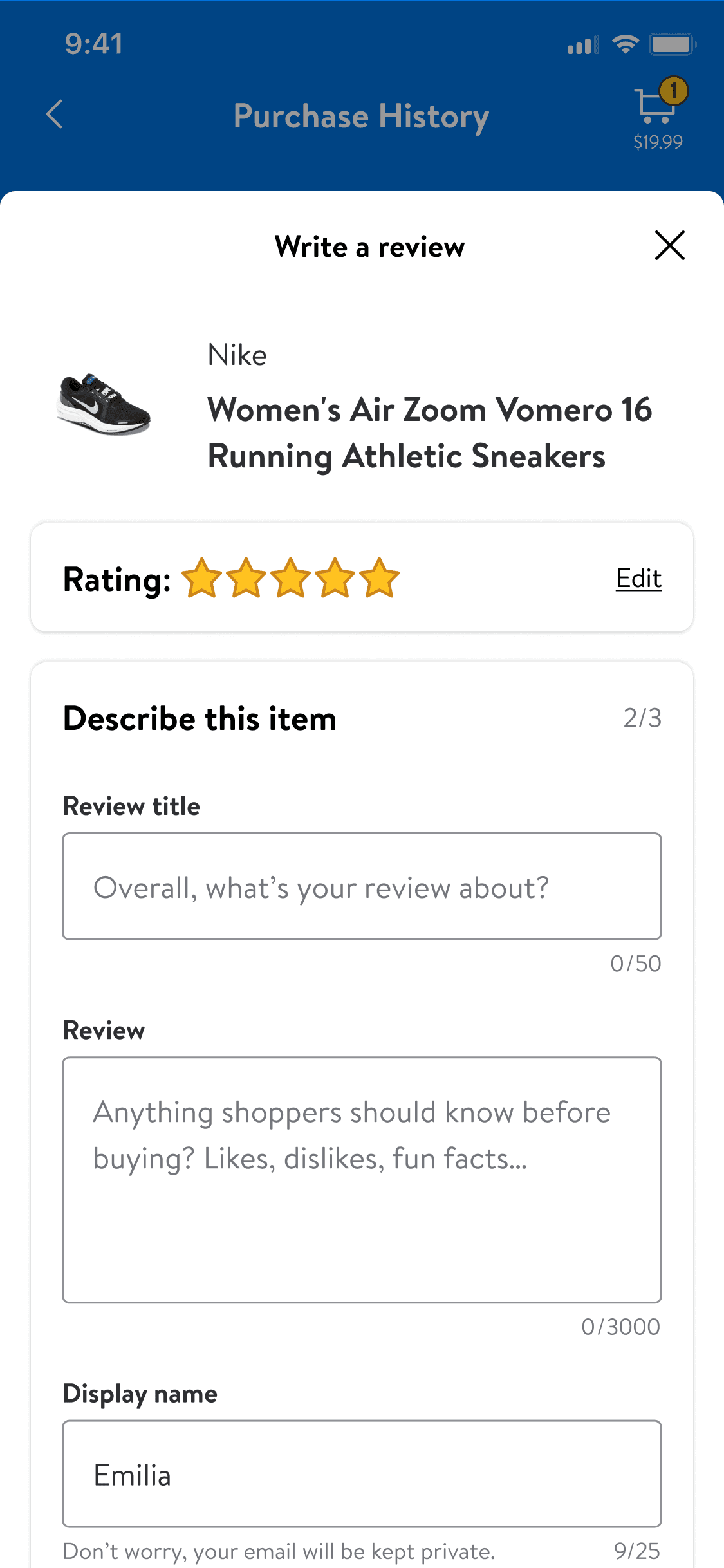
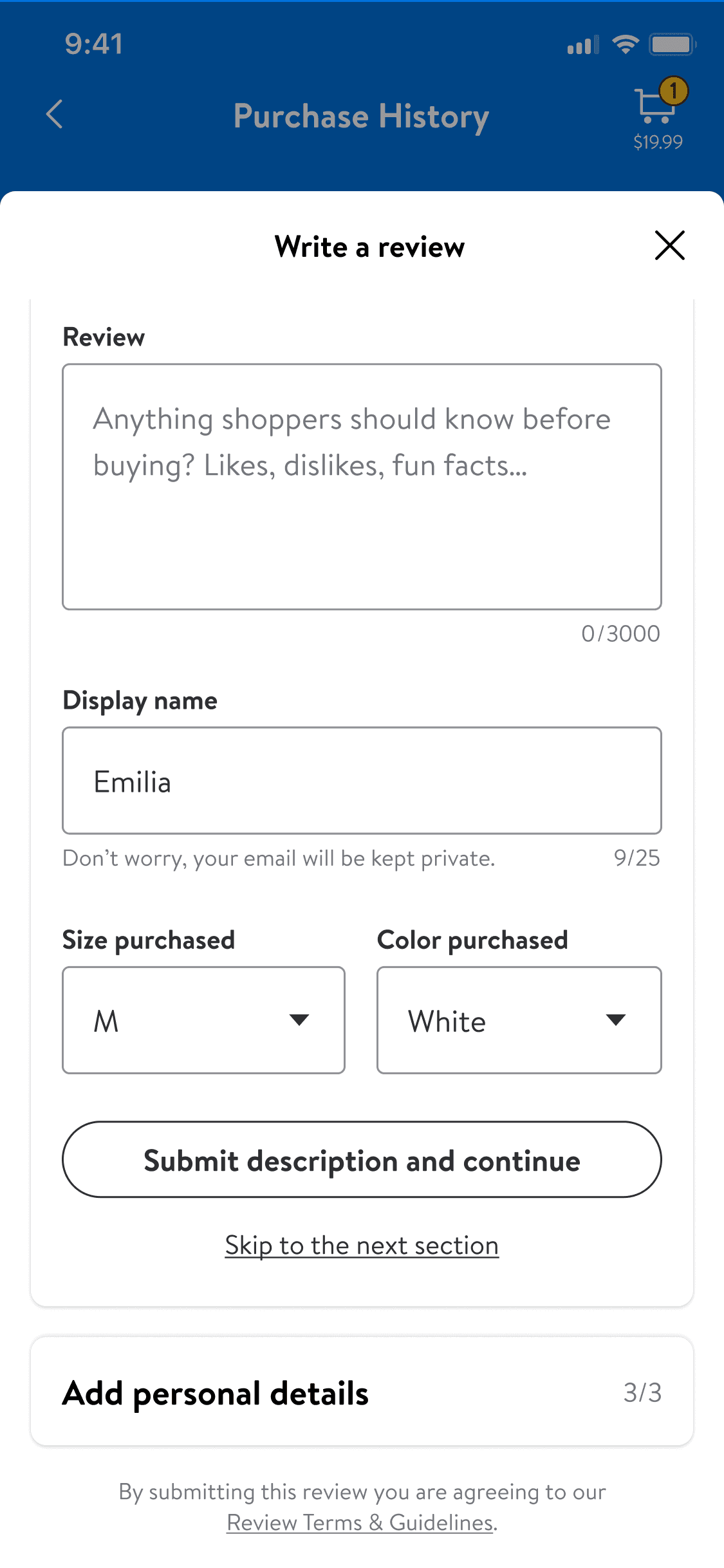
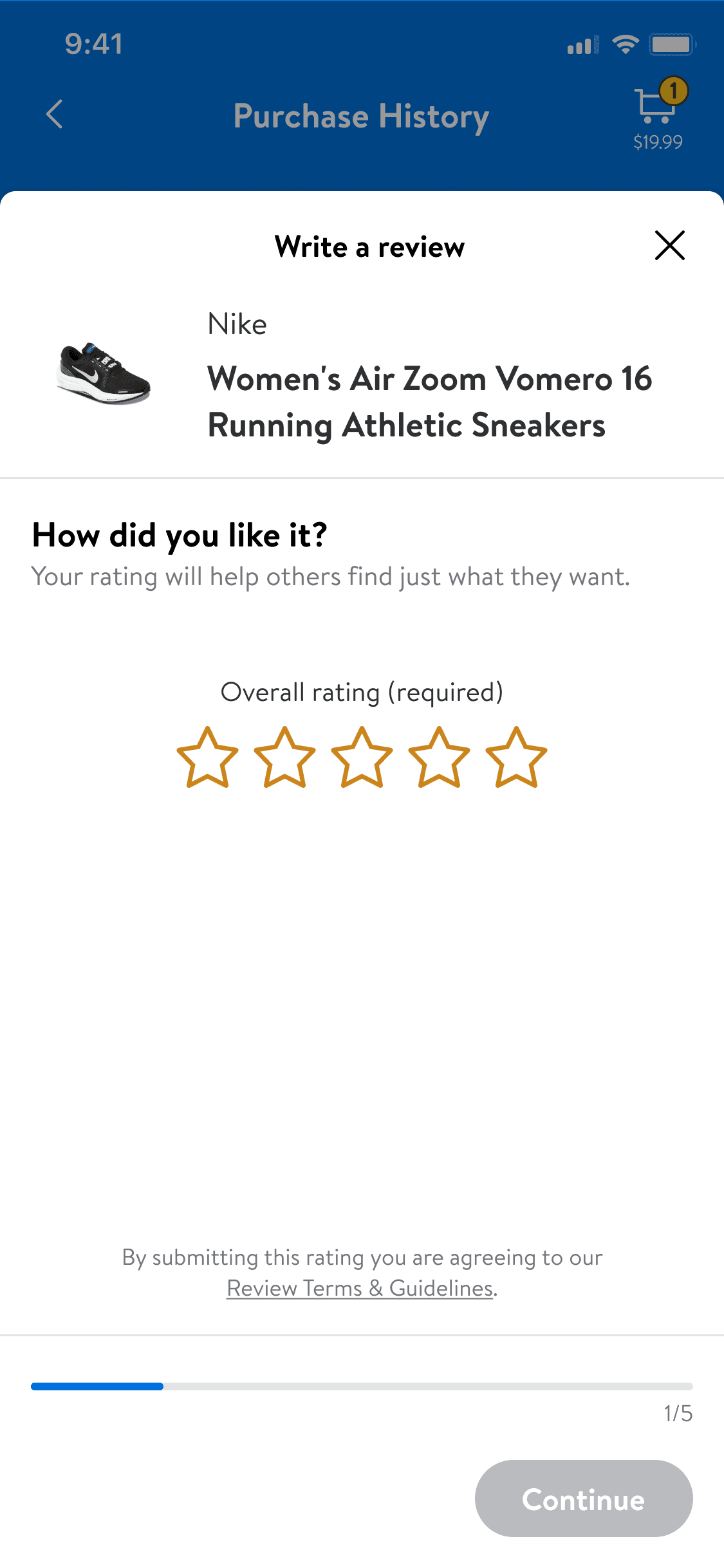
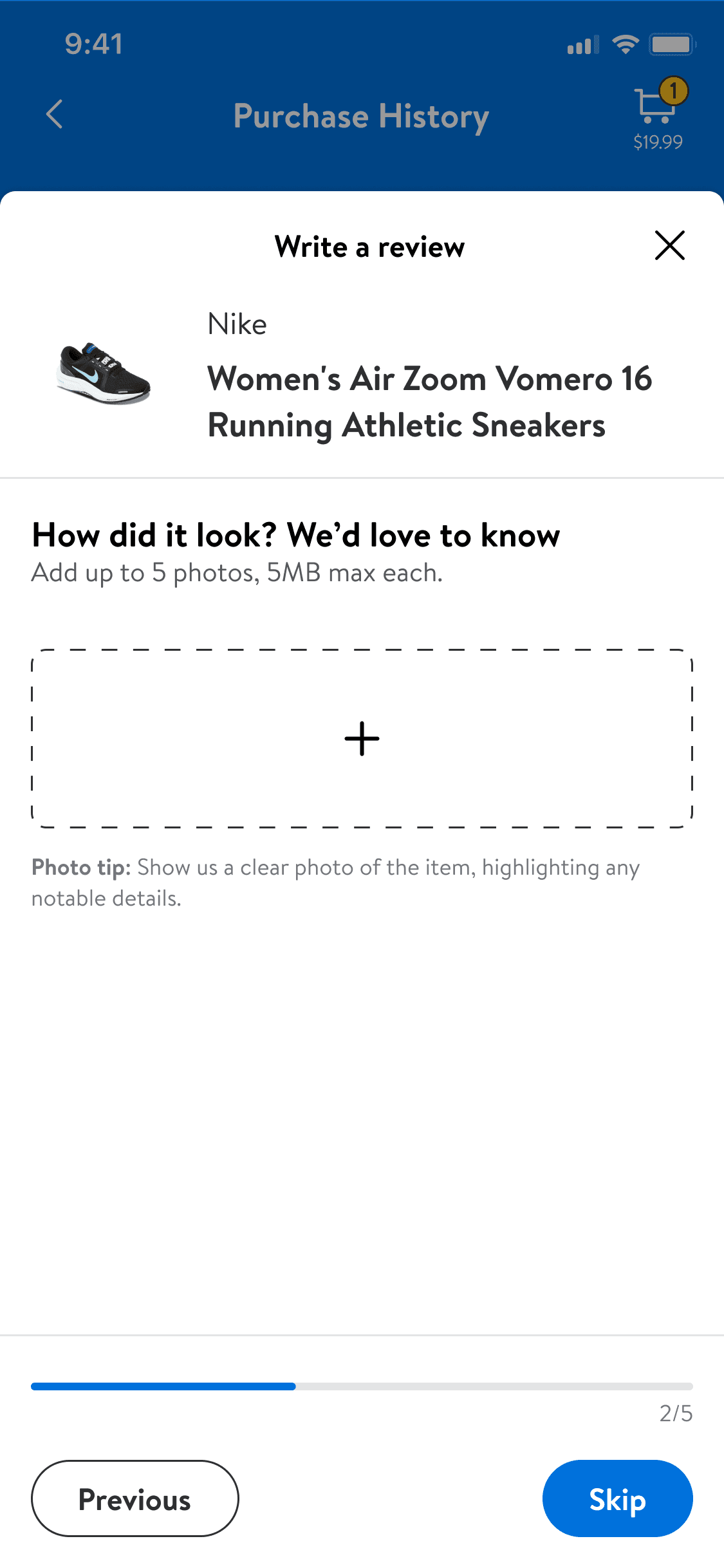
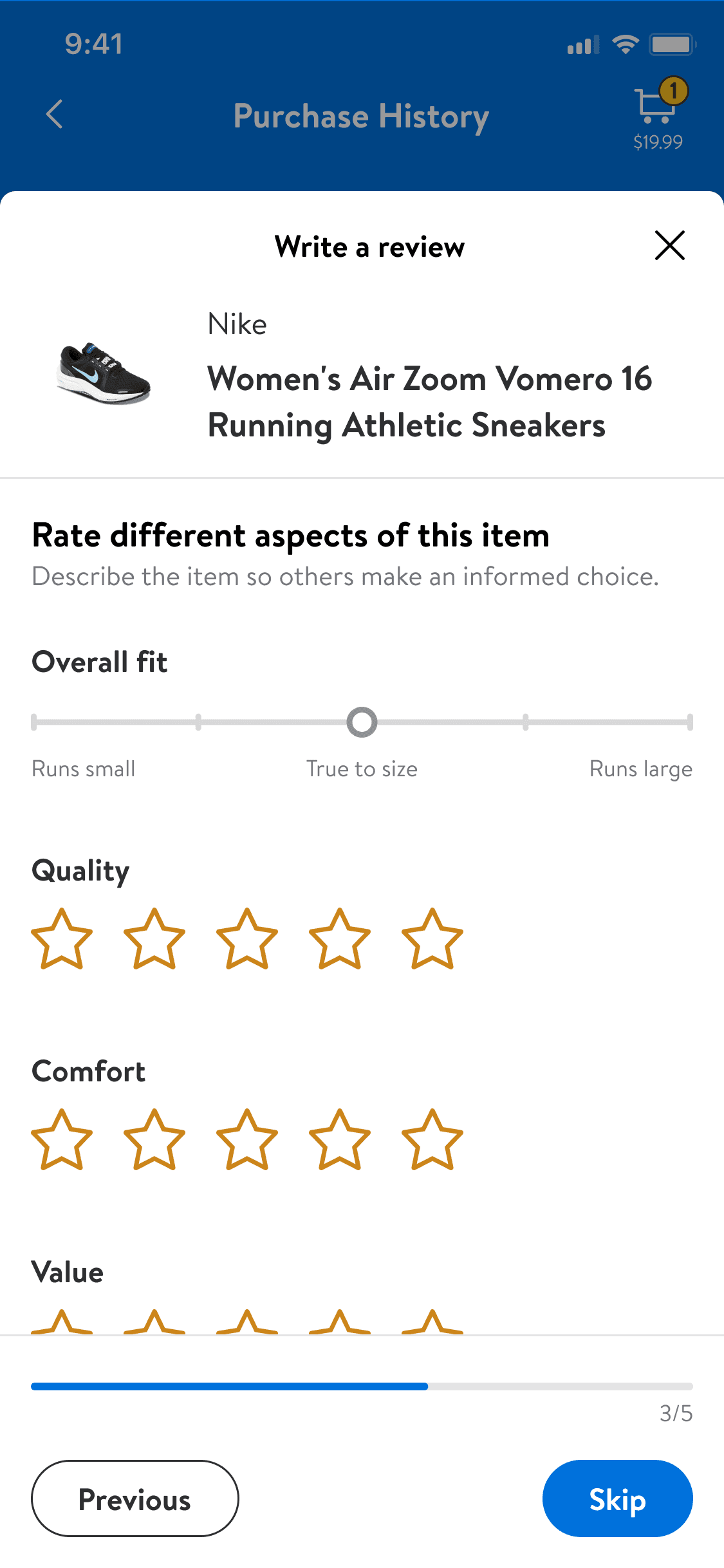
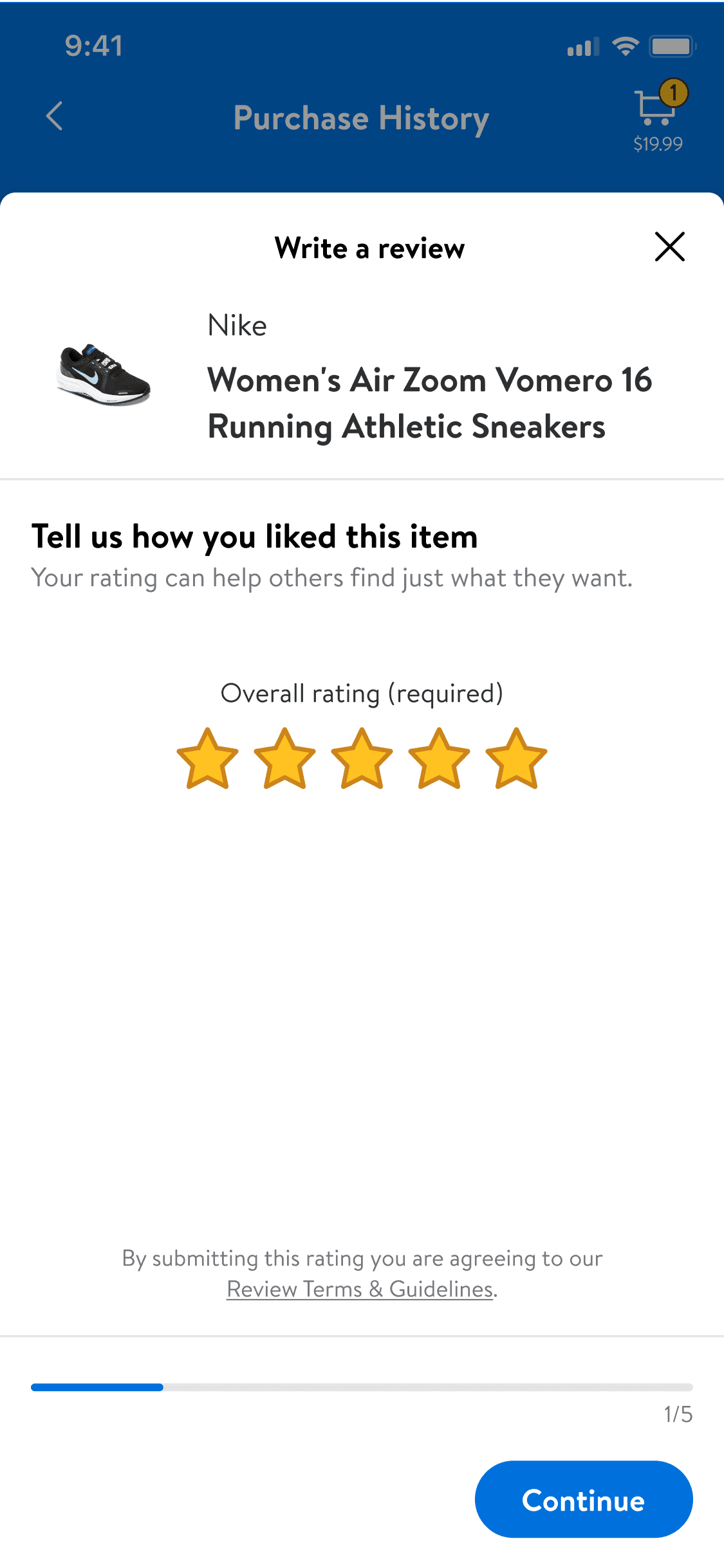
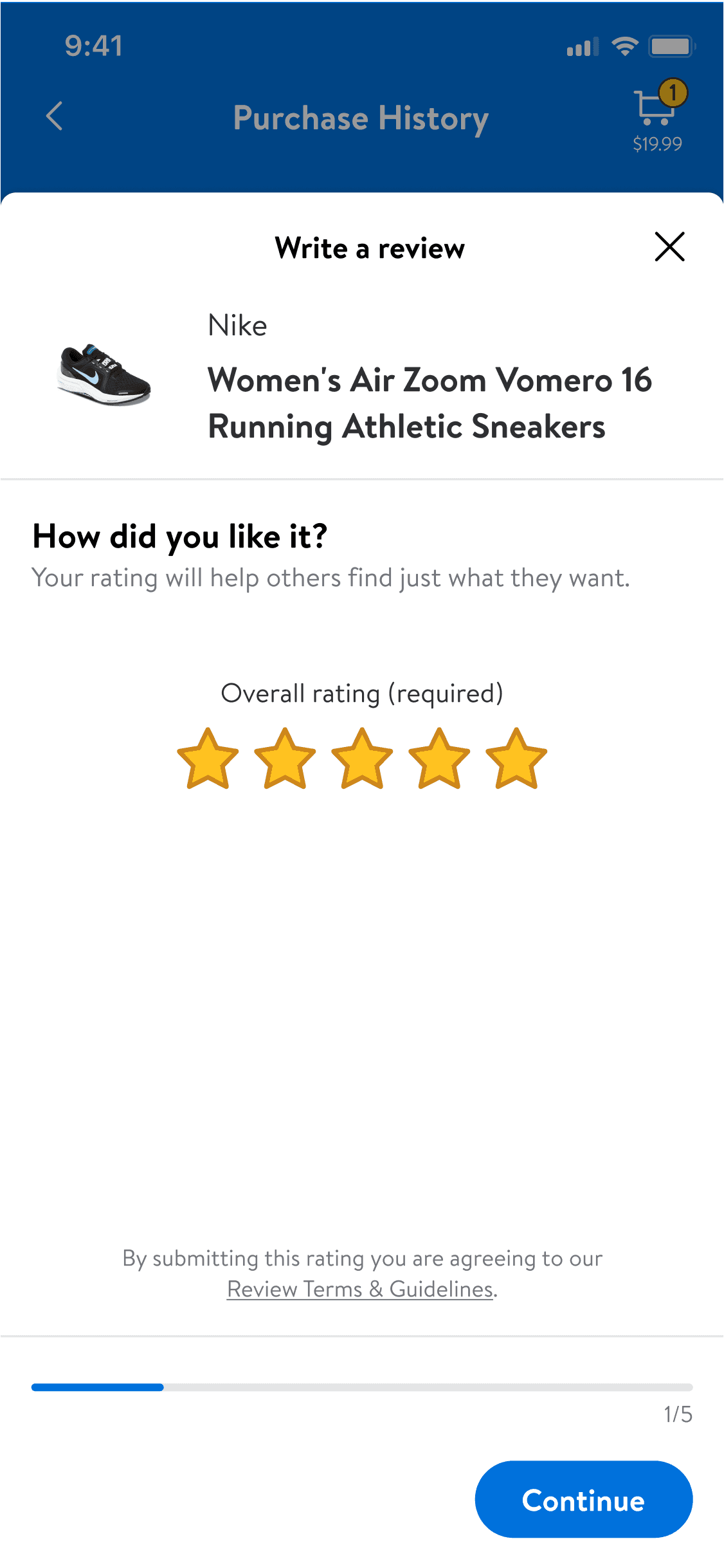
Product-specific workflows: A linear, step-by-step format for guided progression and clarity.
Option 1: Reusable components
Section 1
Rate
Section 2
Review
Section 3
Personal details
Option 2: Product-specific workflows
Section 1
Overall rating
Section 2
Images
Section 3
Feature ratings
Section 4
Review
Section 5
Personal details
Reusable components concept
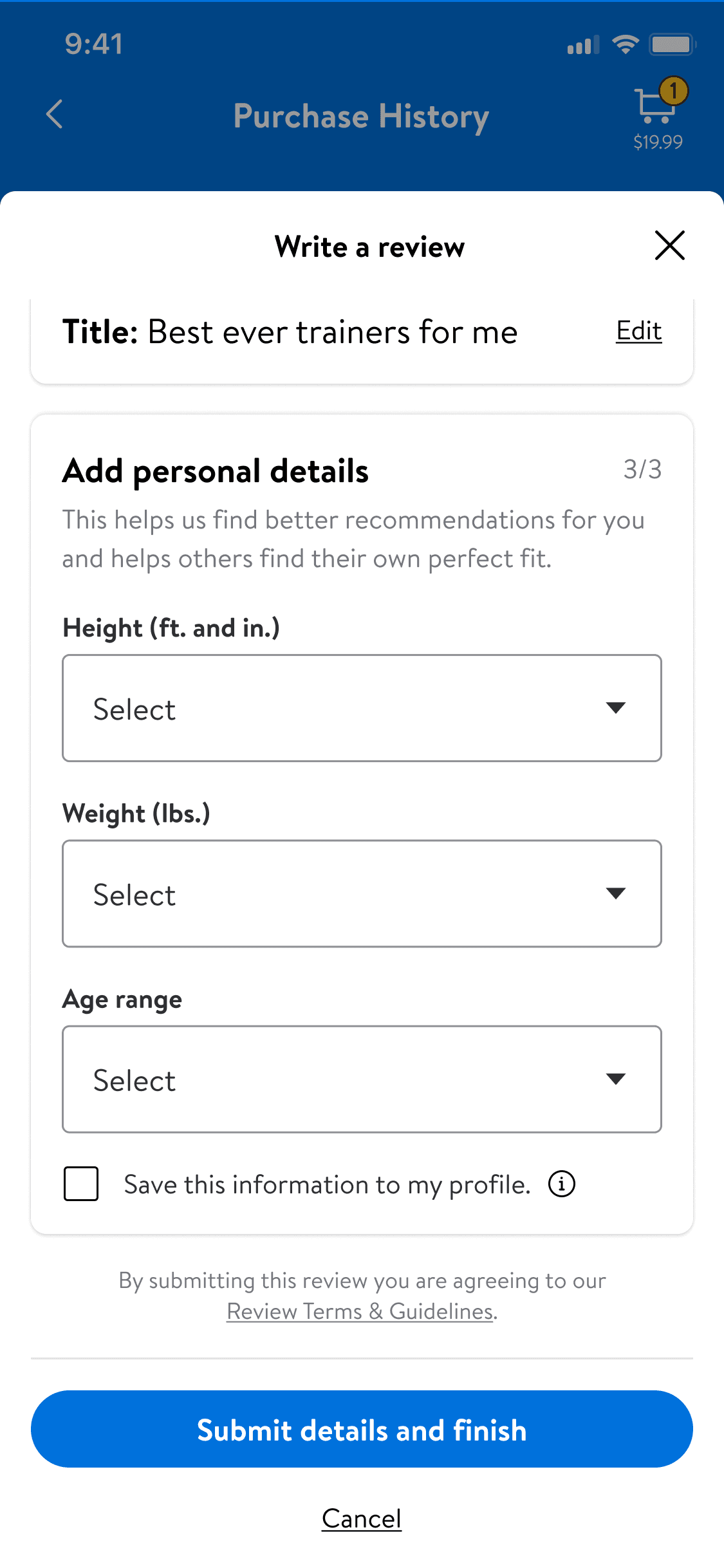
Product-specific workflows concept
group
user testing
Validating the systems
I worked with stakeholders, developers, and teams to refine designs, align expectations, and keep implementation practical across products.
Feedback shaped the final systems, improving usability, scalability, and consistency across multiple business domains.
First round of user testing
Users found the Product-specific workflows less cluttered and overwhelming, while the Reusable components felt more flexible and faster to complete.
Key design insights for the next iteration:
Include a progress bar
Prioritize input fields users are more likely to complete
Second round of user testing
The results remained close but revealed clear evidence of order bias. Key insights from this testing informed our final hybrid solution:
Add sticky bottom buttons for easier navigation
Prioritize simple response questions
Provide additional context for sensitive inputs
Reusable components
Product-specific workflows
editor_choice
Final Design
The scalable system
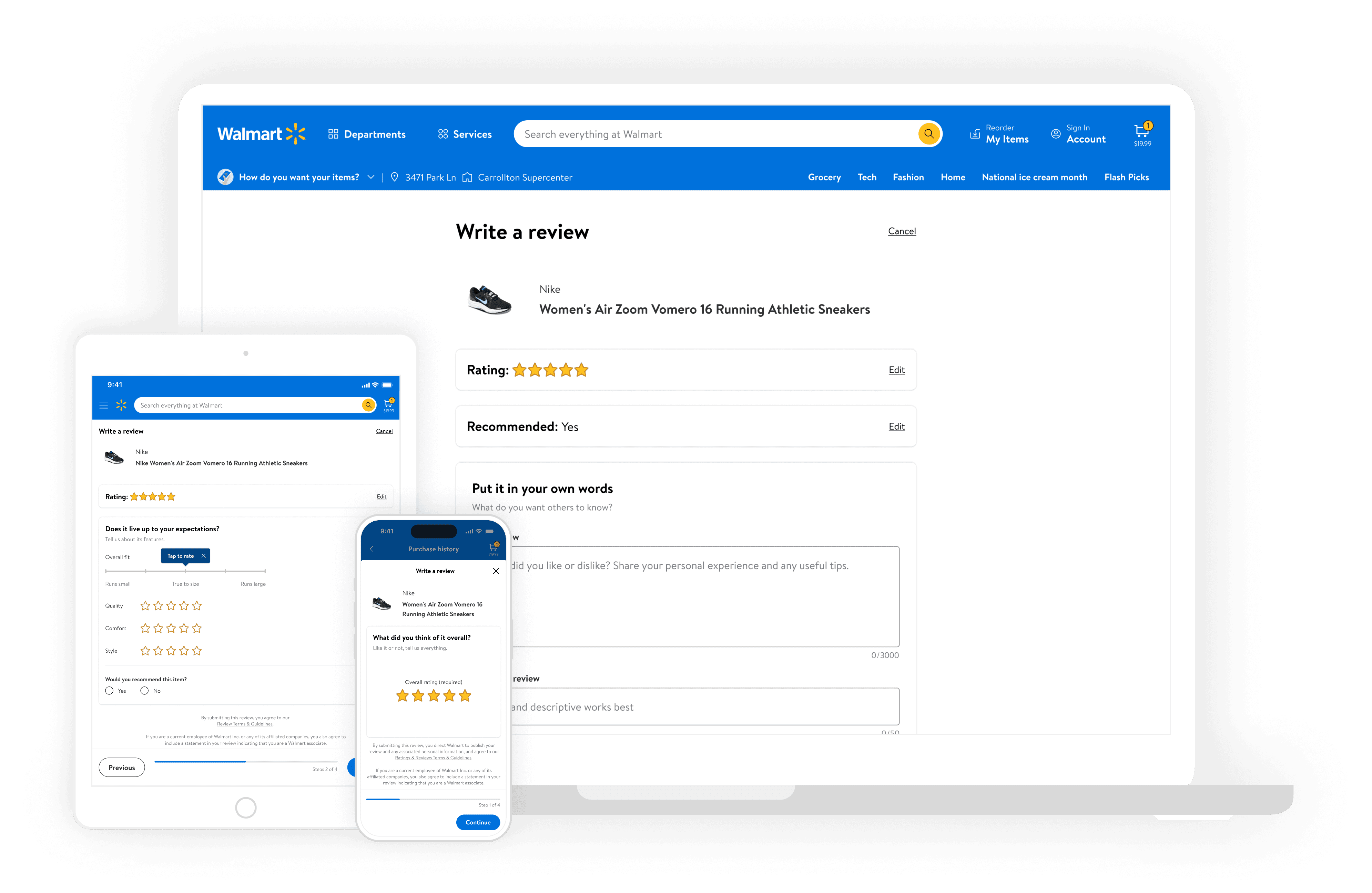
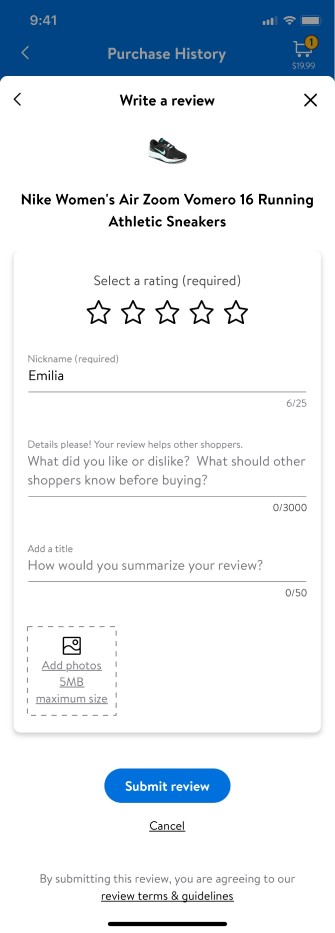
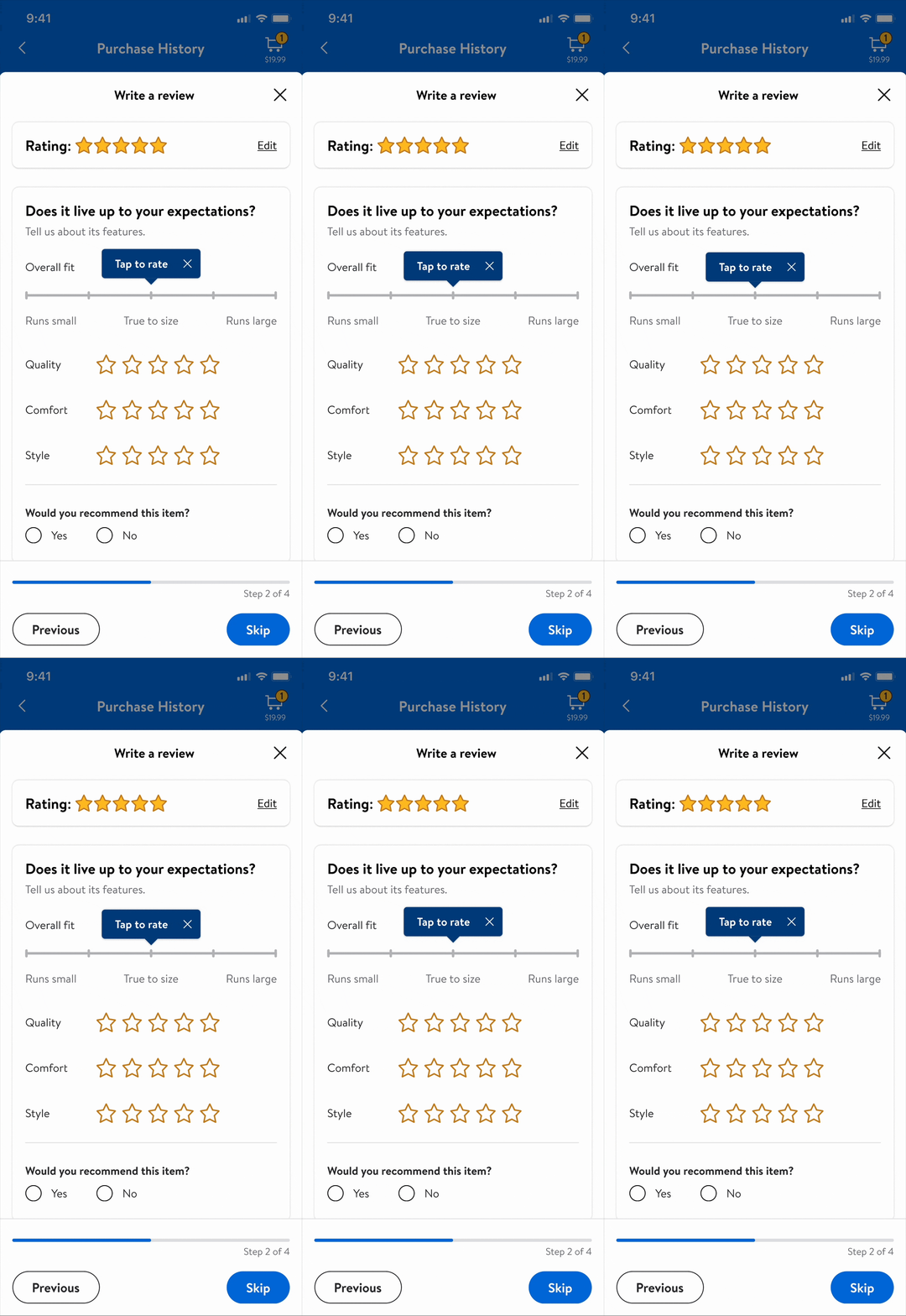
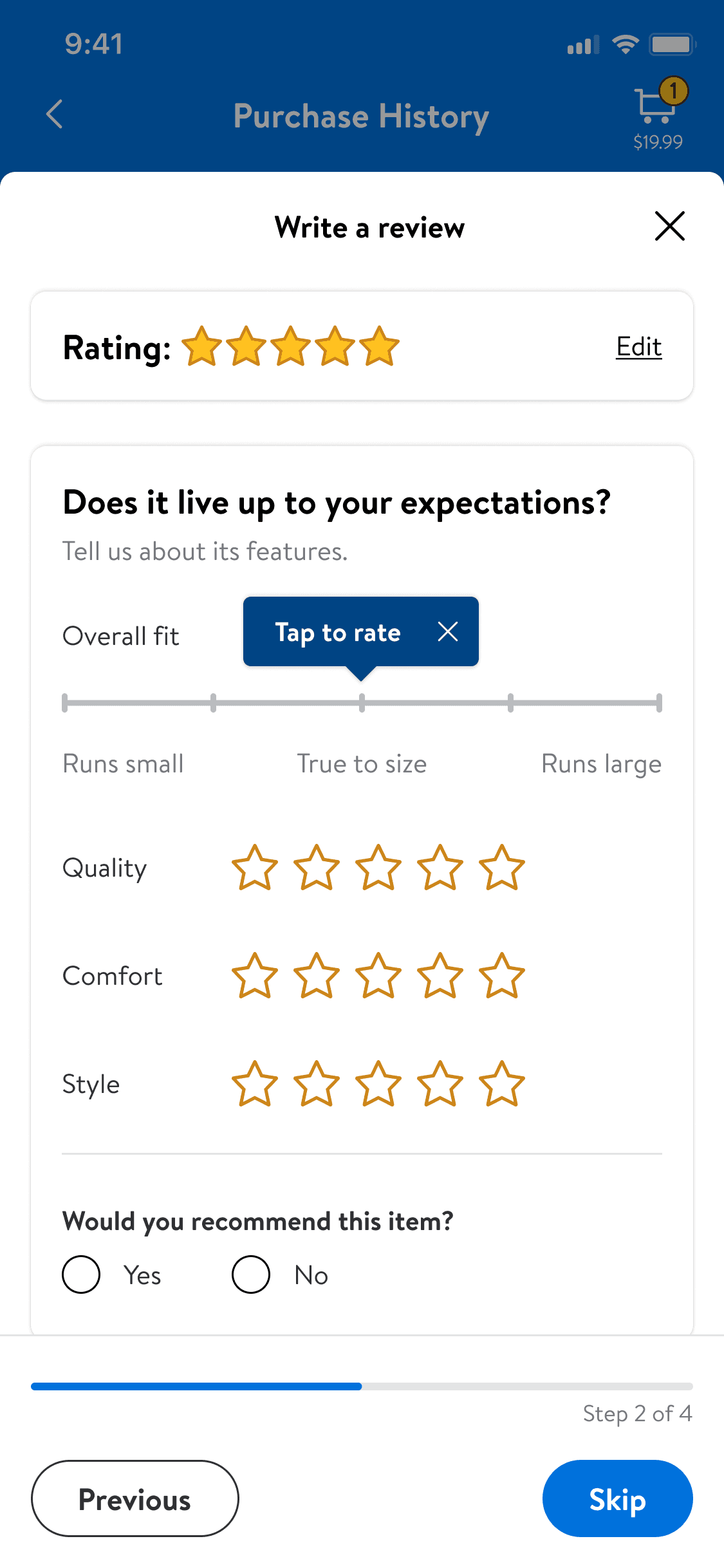
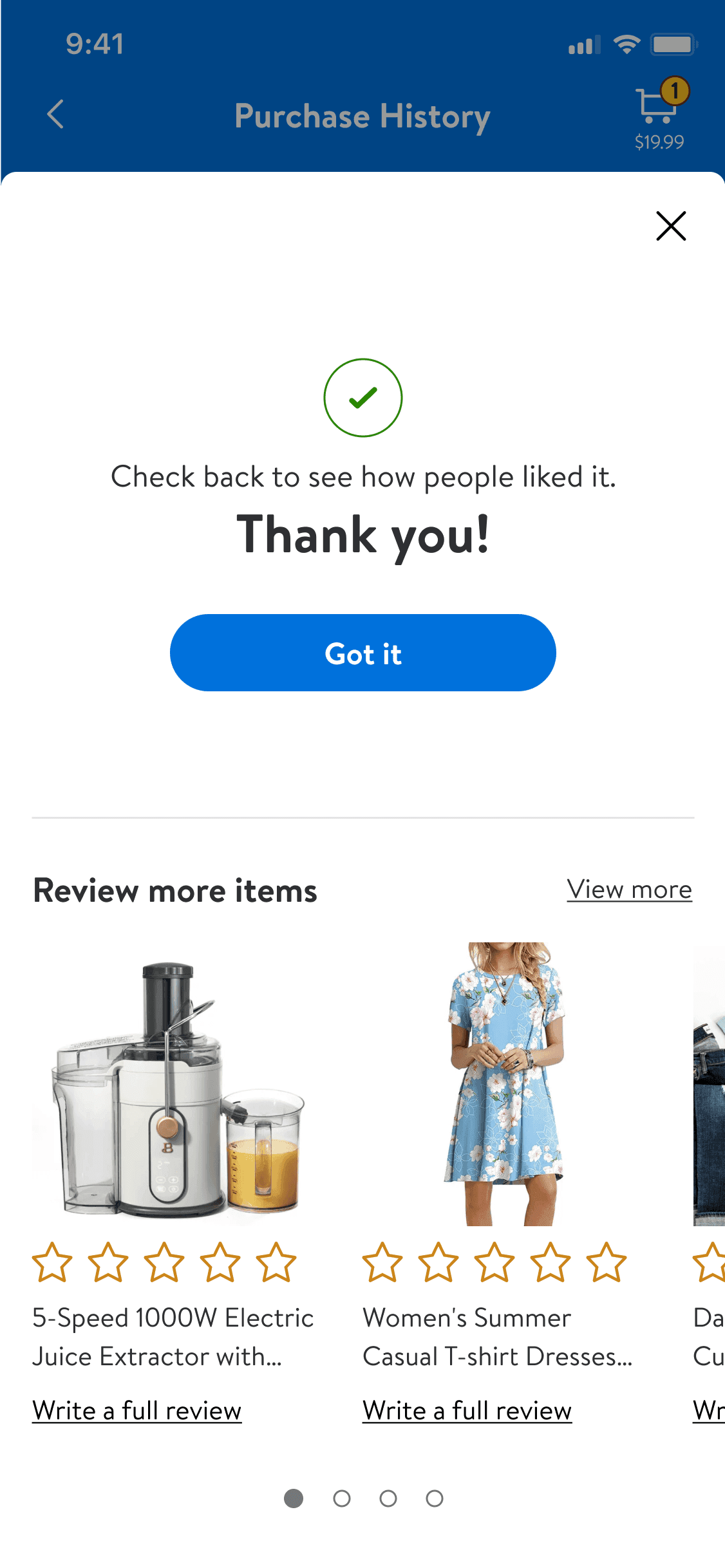
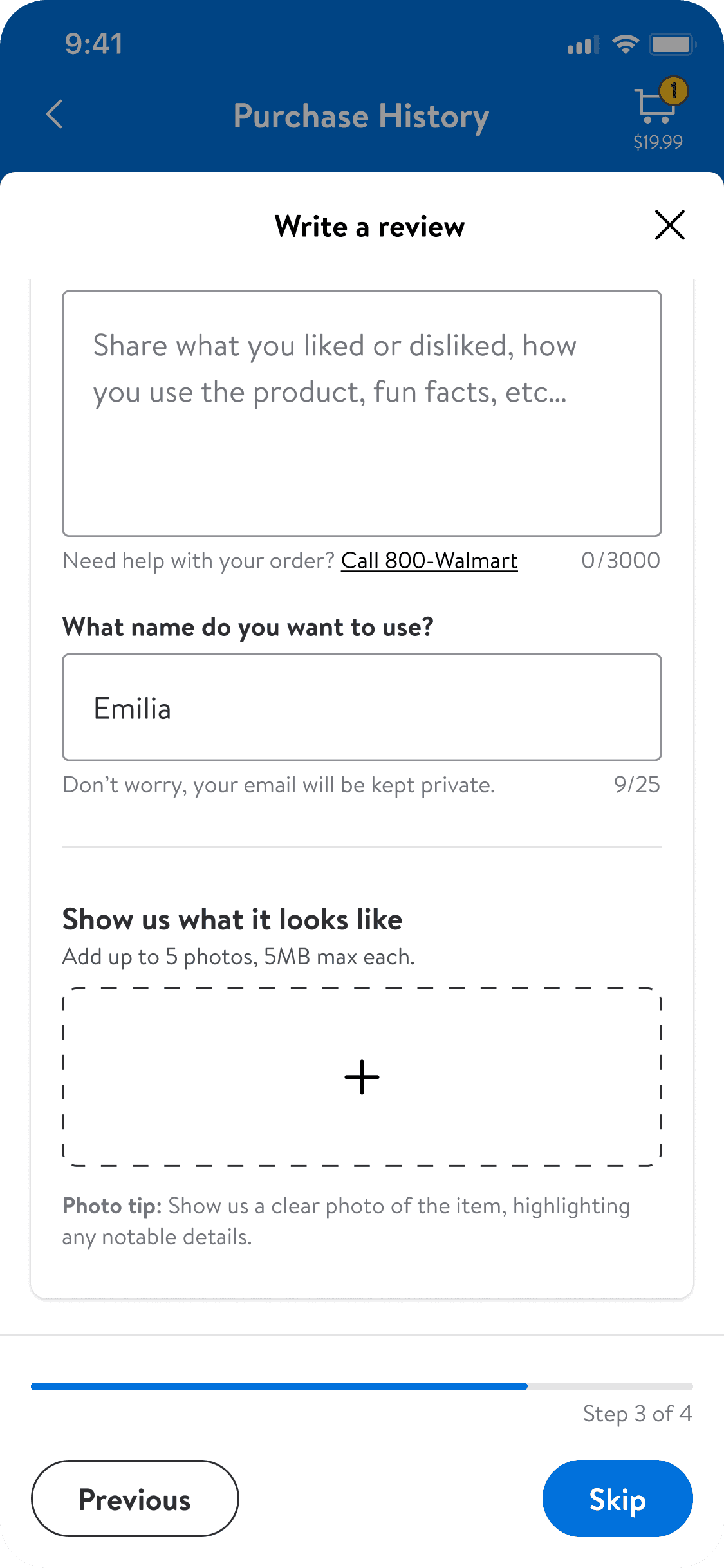
After finalizing the workflow structure, I worked with product and engineering to refine implementation, ensuring feasibility across verticals while maintaining consistency. The final design combined the Reusable components’ flexibility with the Product-specific workflows’ clarity.
BEfore
After
Ensuring clarity and consistency
Users move through complex workflows with clearer hierarchy, reusable patterns, and consistent product behavior.
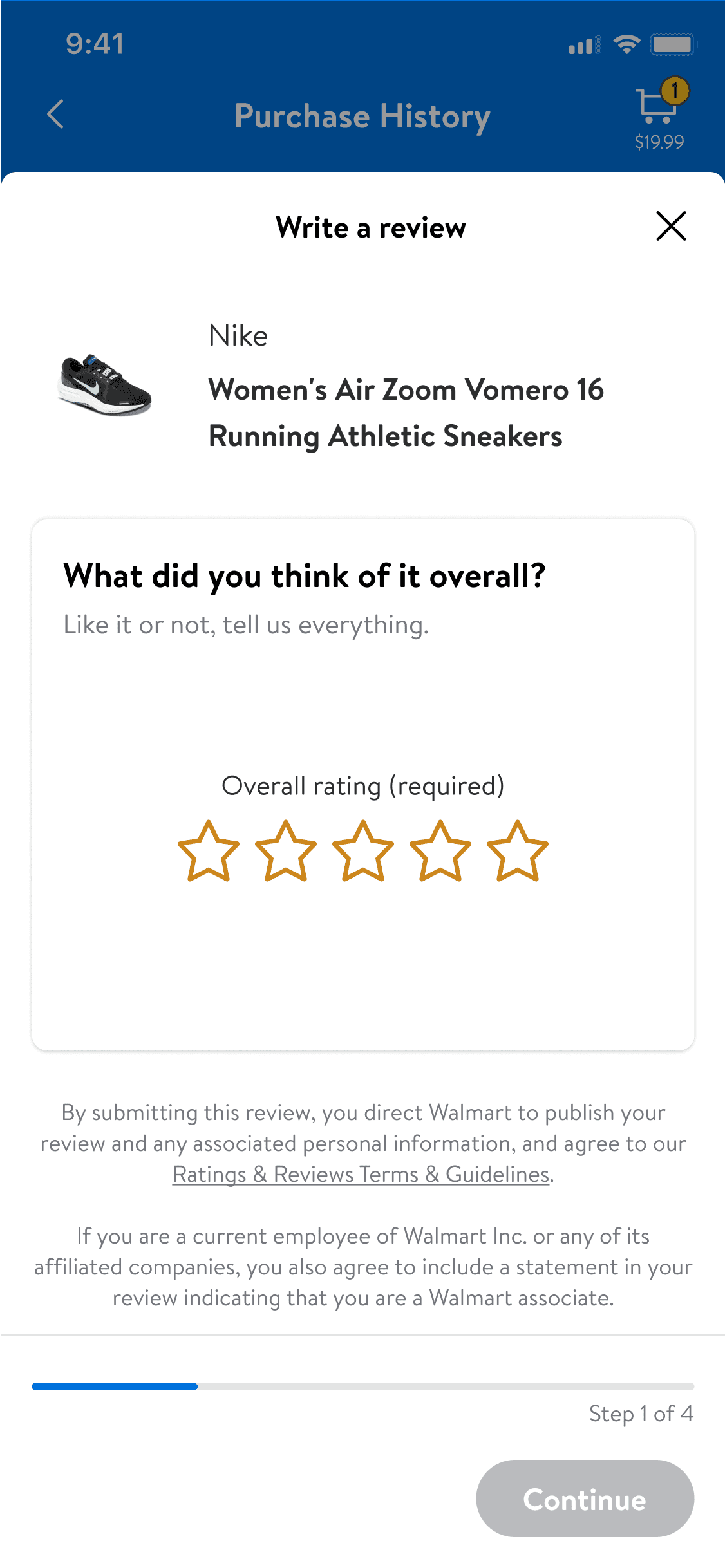
An effortless first step
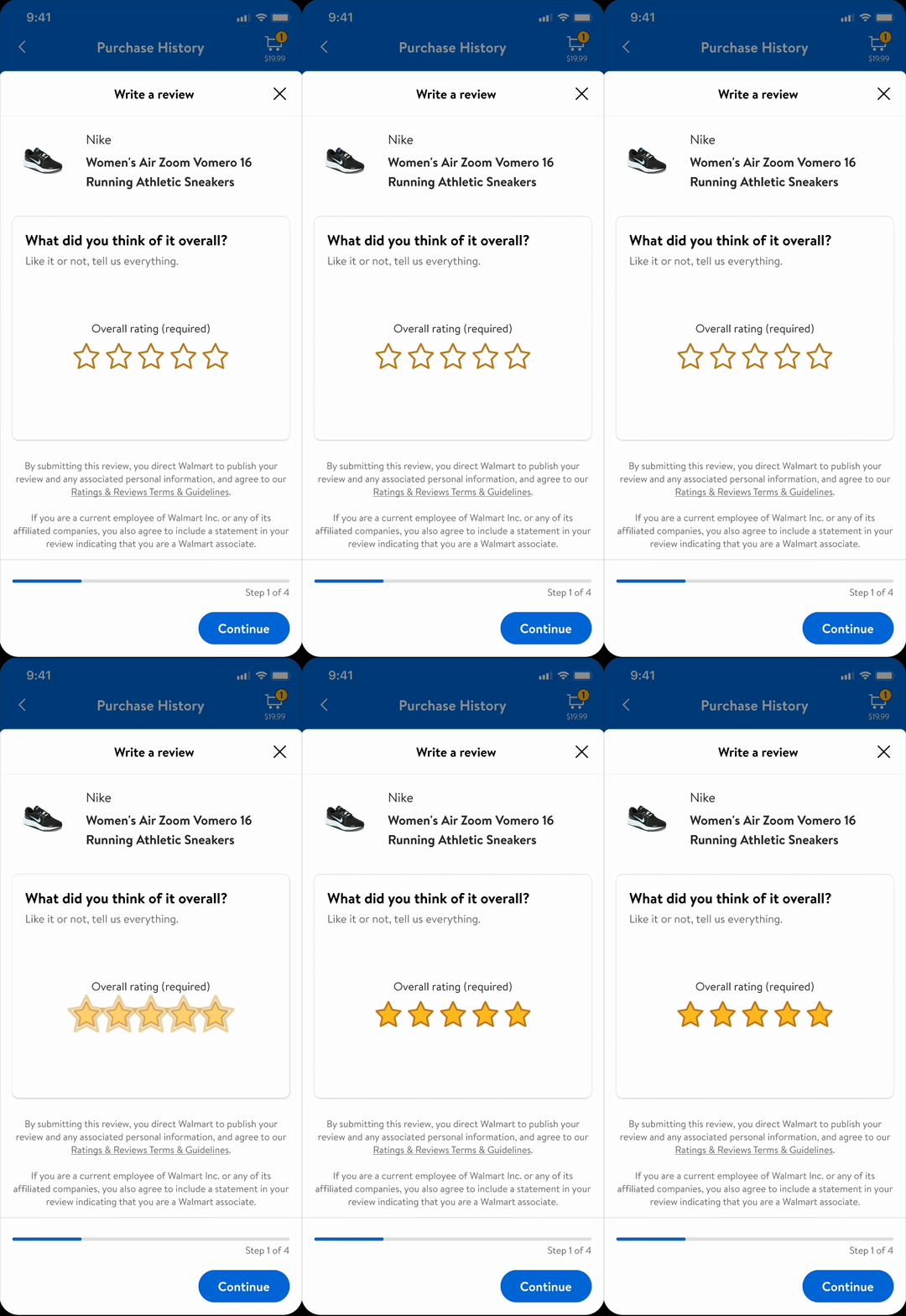
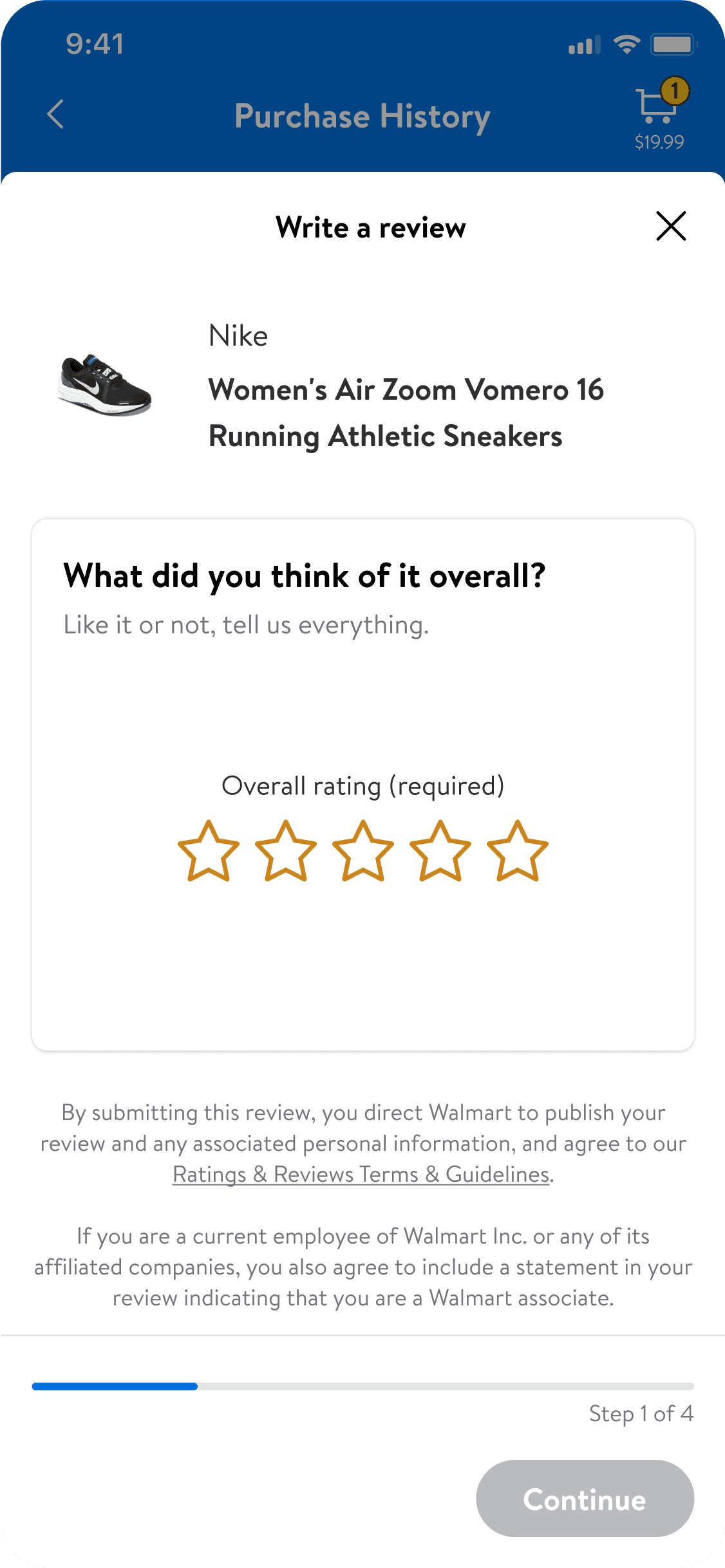
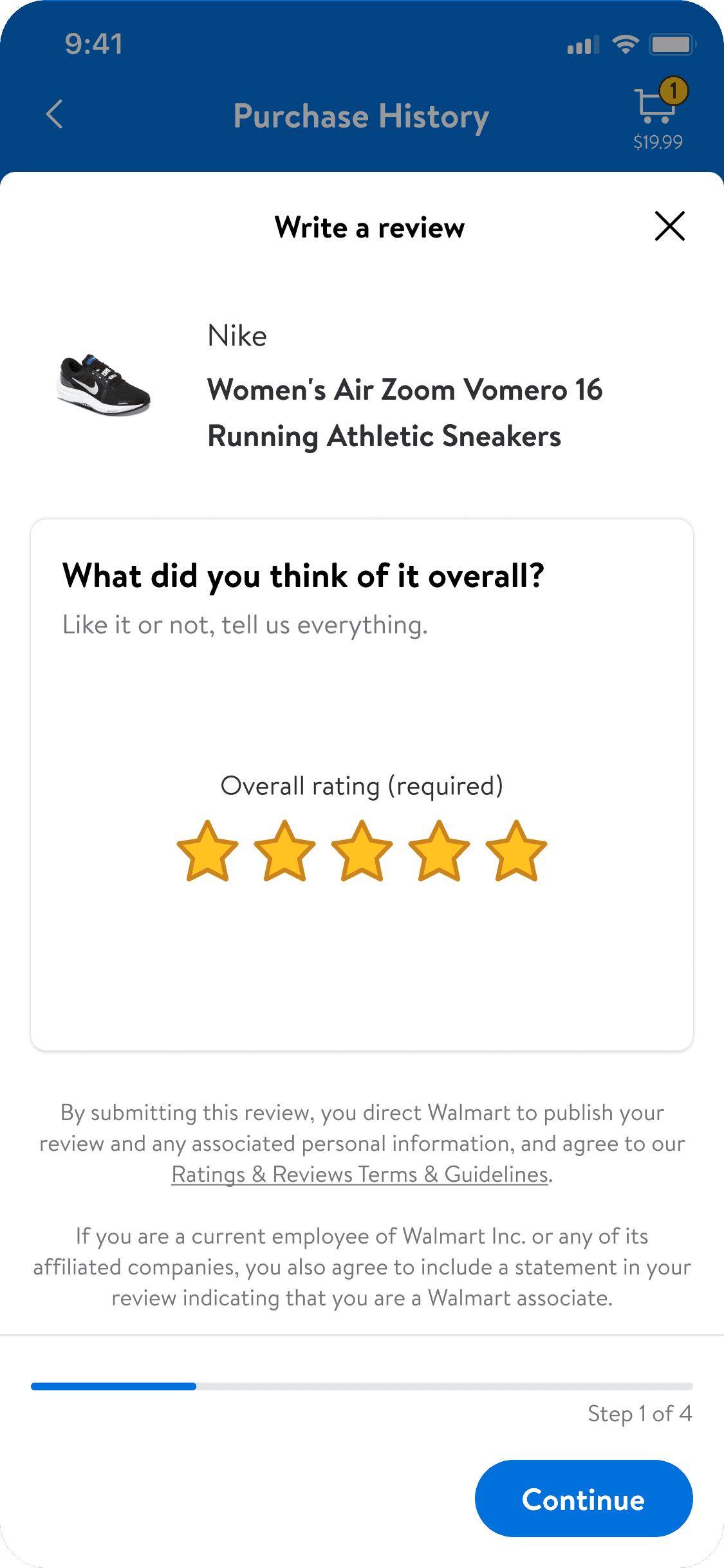
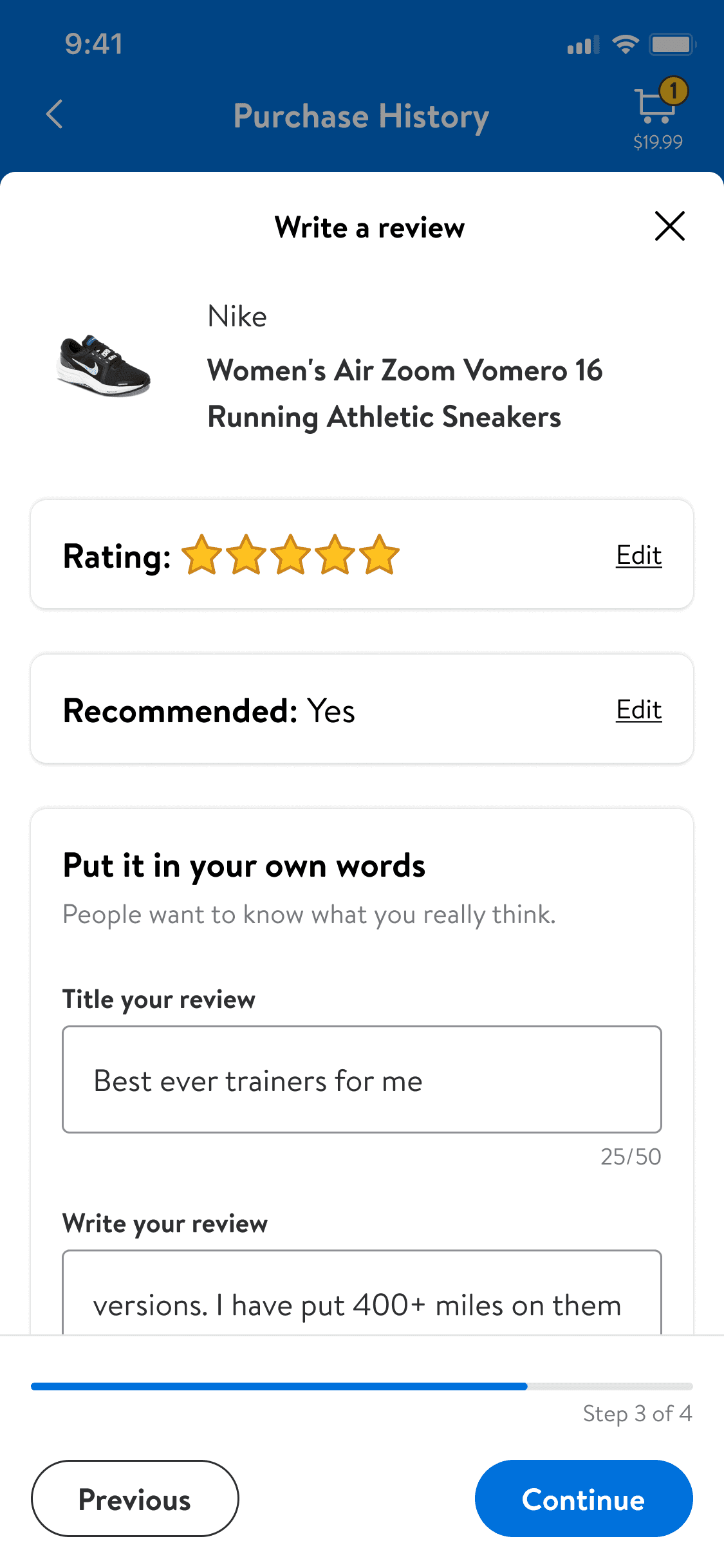
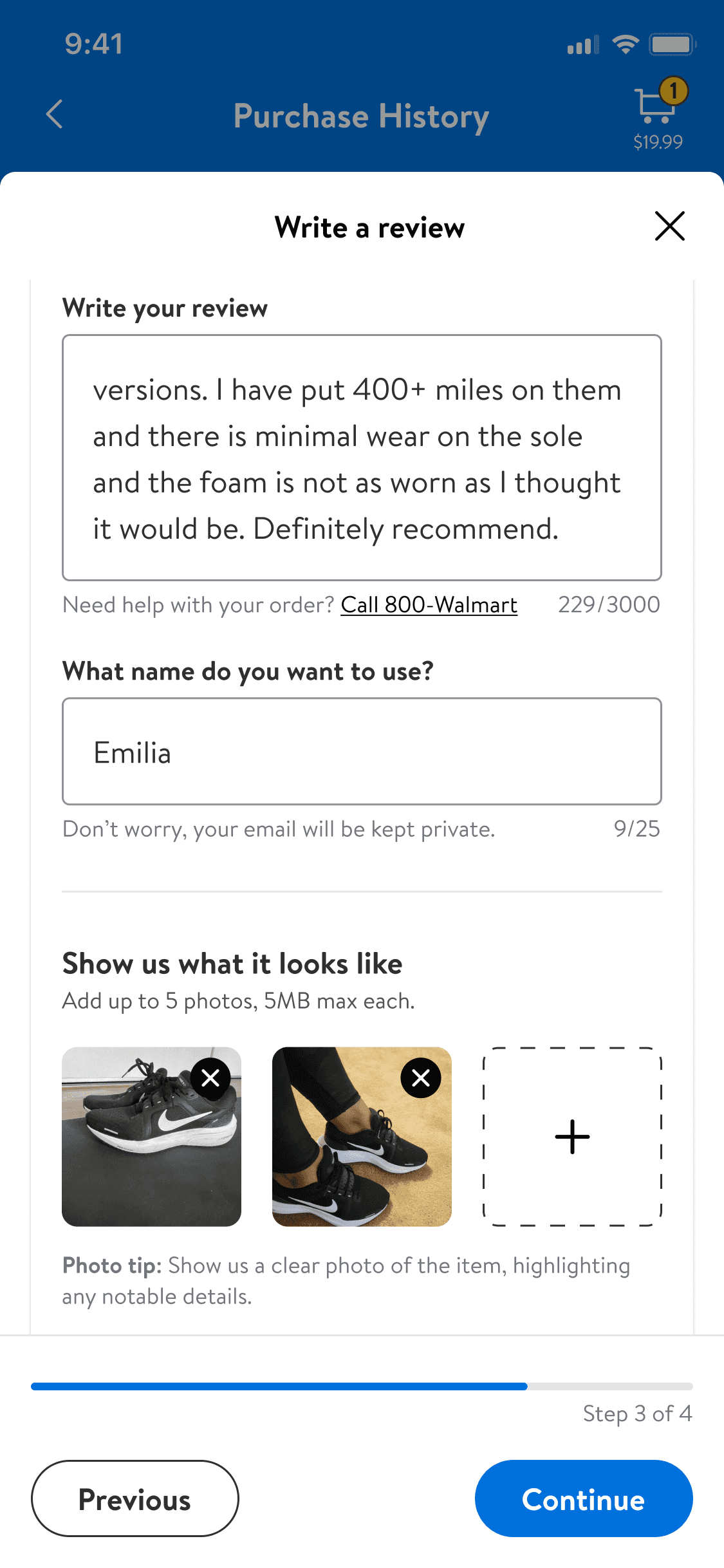
The required initial step is presented upfront to reduce friction. Auto-saving their input ensures no data loss if users exit before completion.
Be consistent
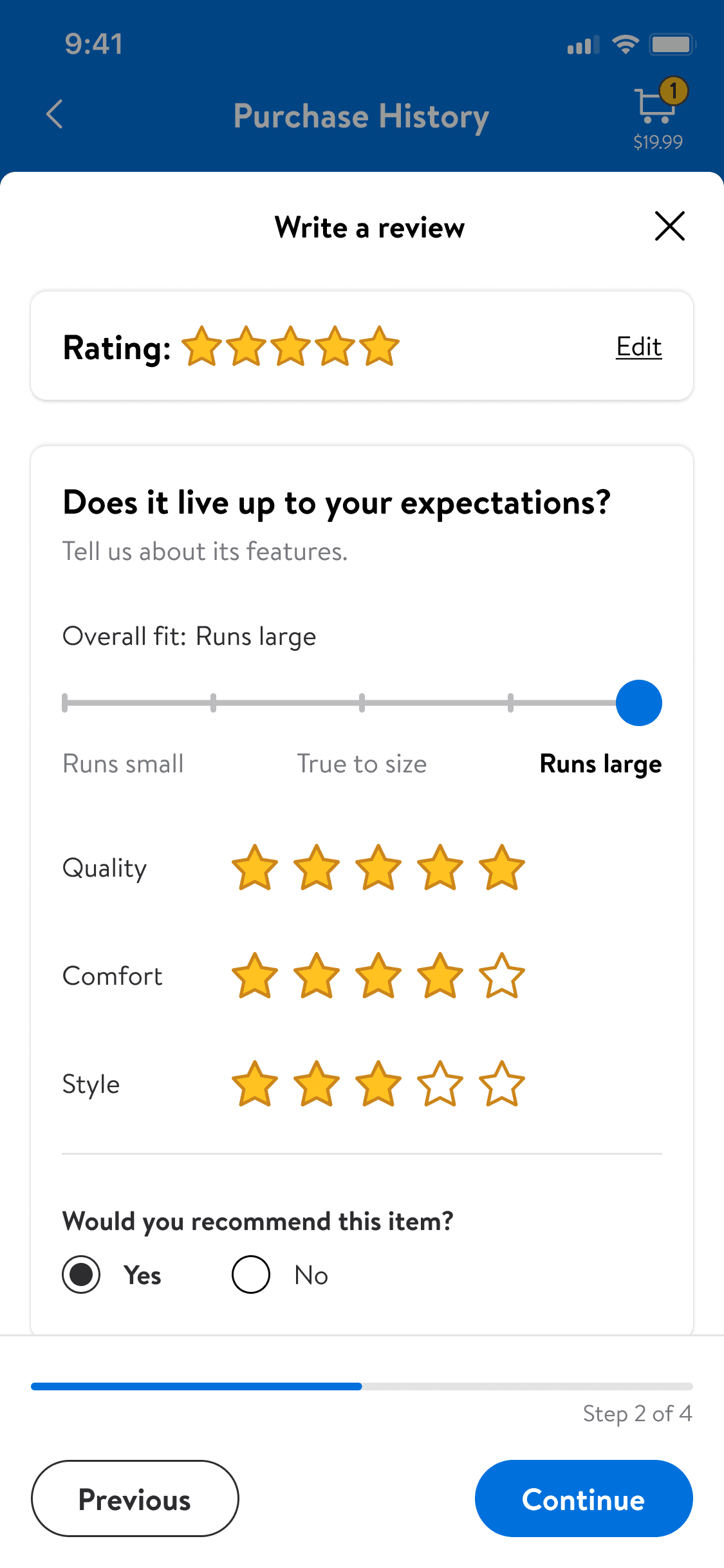
Delight users with subtle animations of the stars populating.
why it matters
A positive and engaging start can boost completion rates.
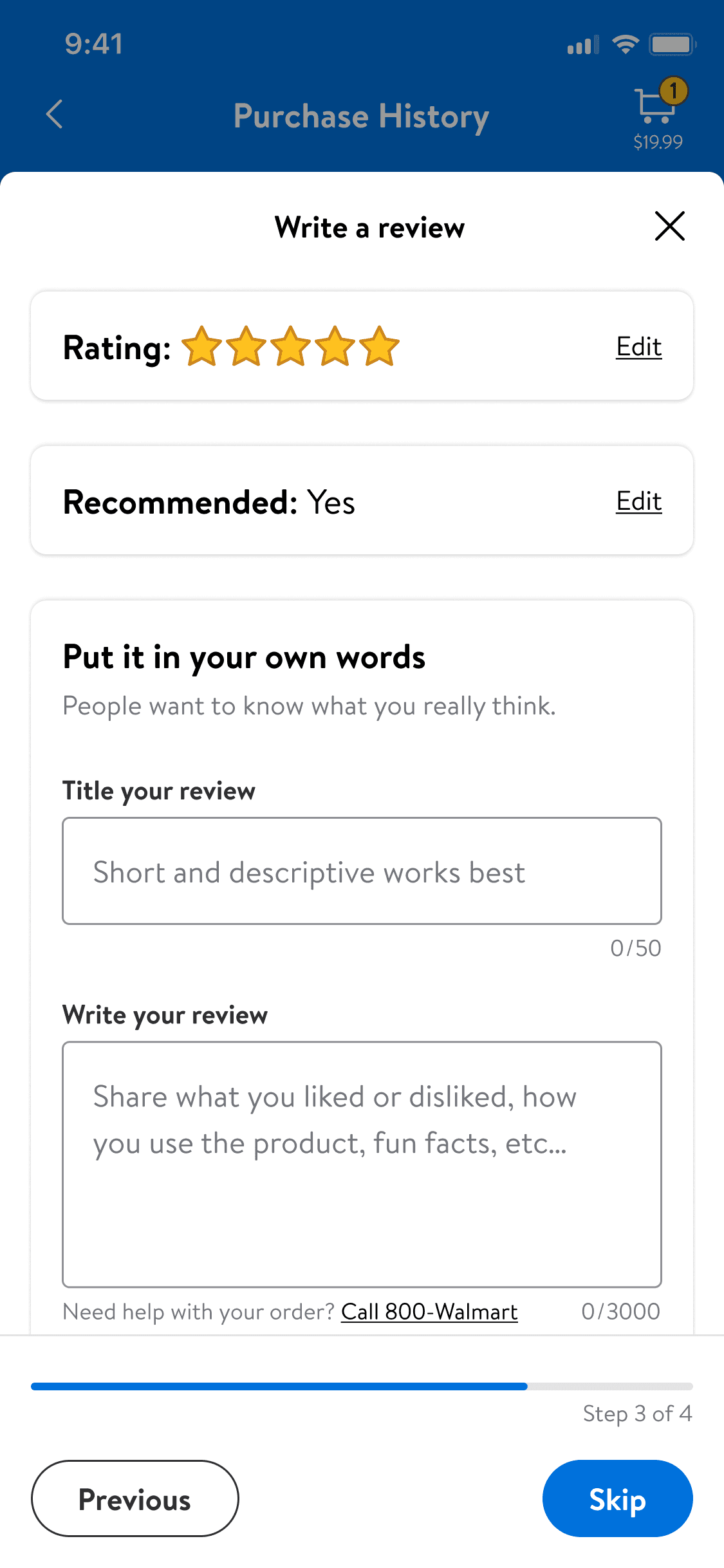
be vertical specific
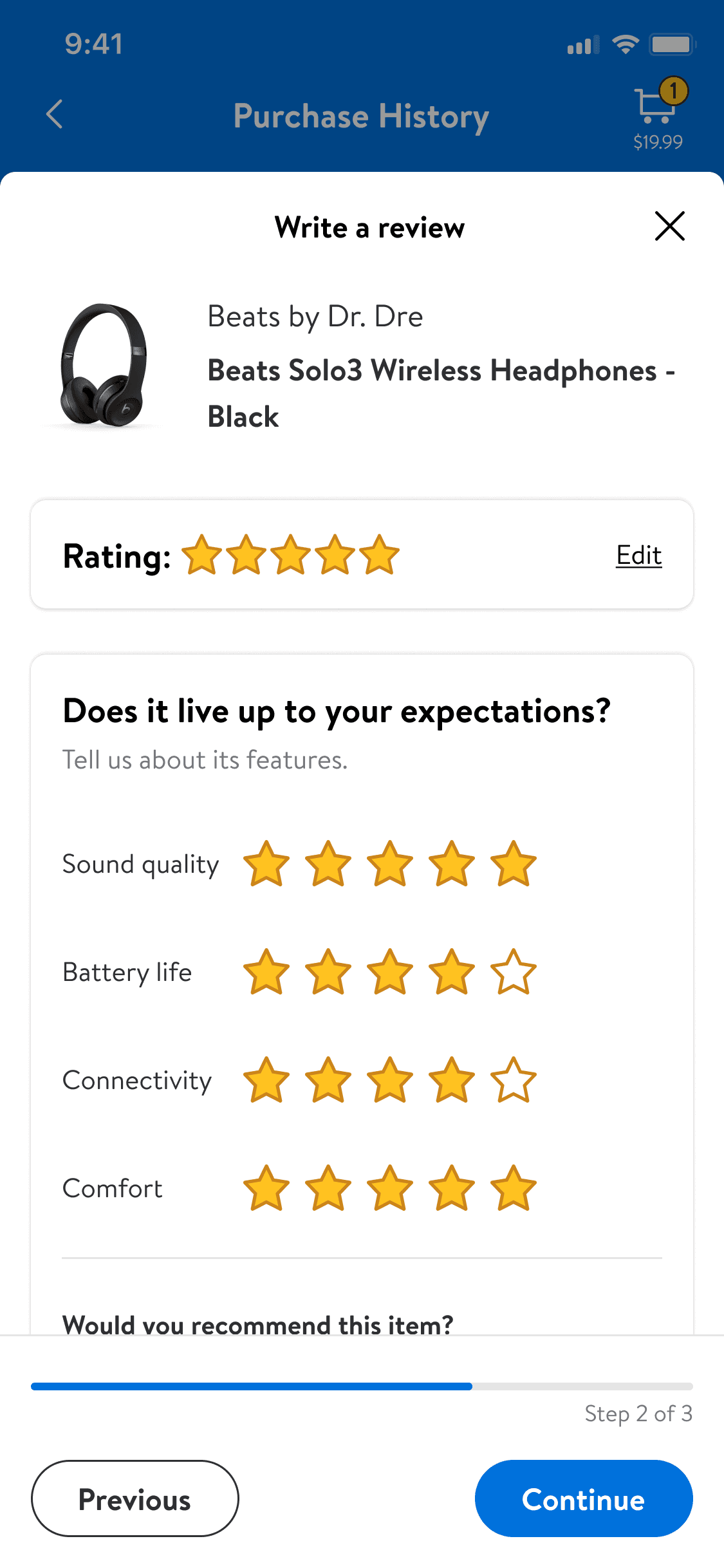
Ensure adaptability with a clear and intuitive structure.
why it matters
Ensures relevant feedback without sacrificing usability.
Balance depth and simplicity to appeal to all users.
why it matters
Giving users flexibility reduces drop-off and encourages completion.
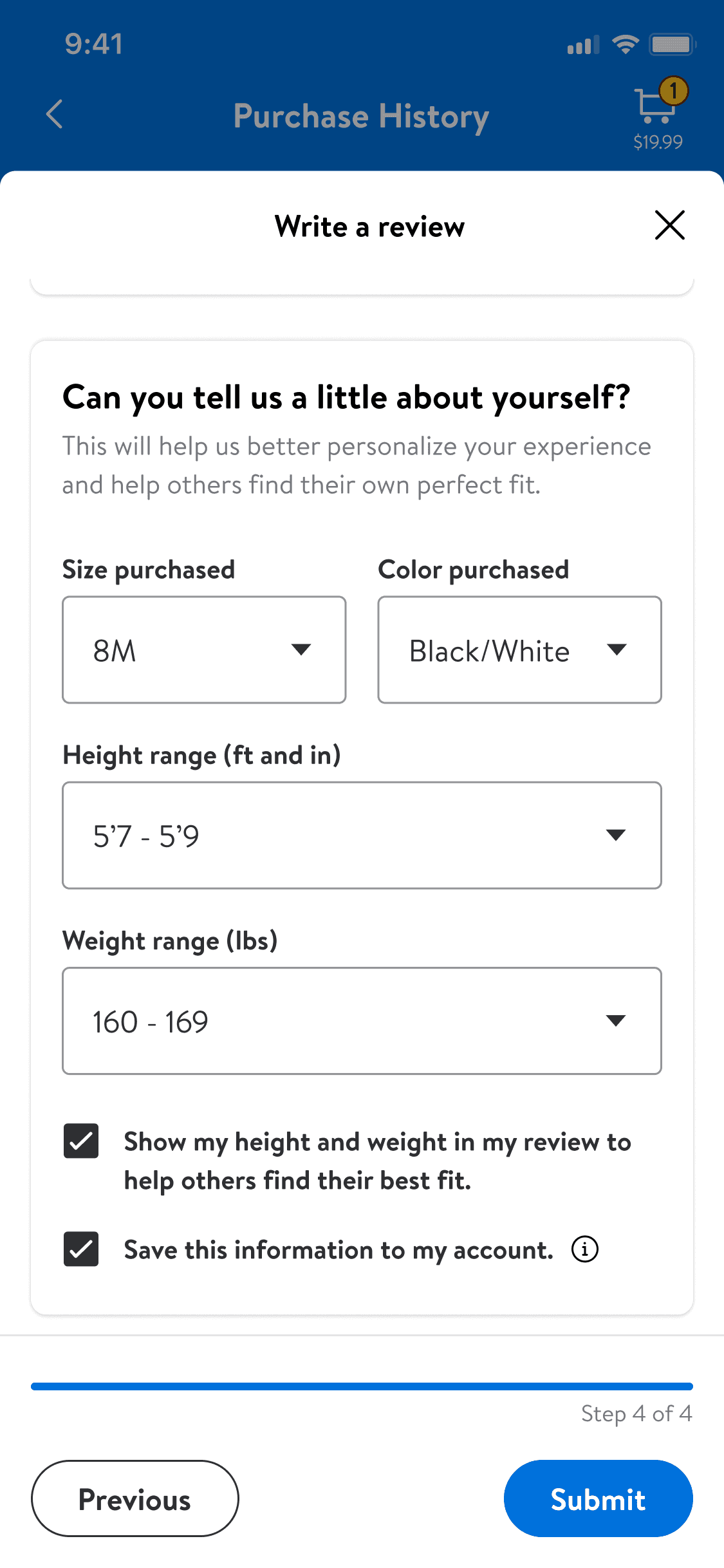
Enhancing decisions with relevant details
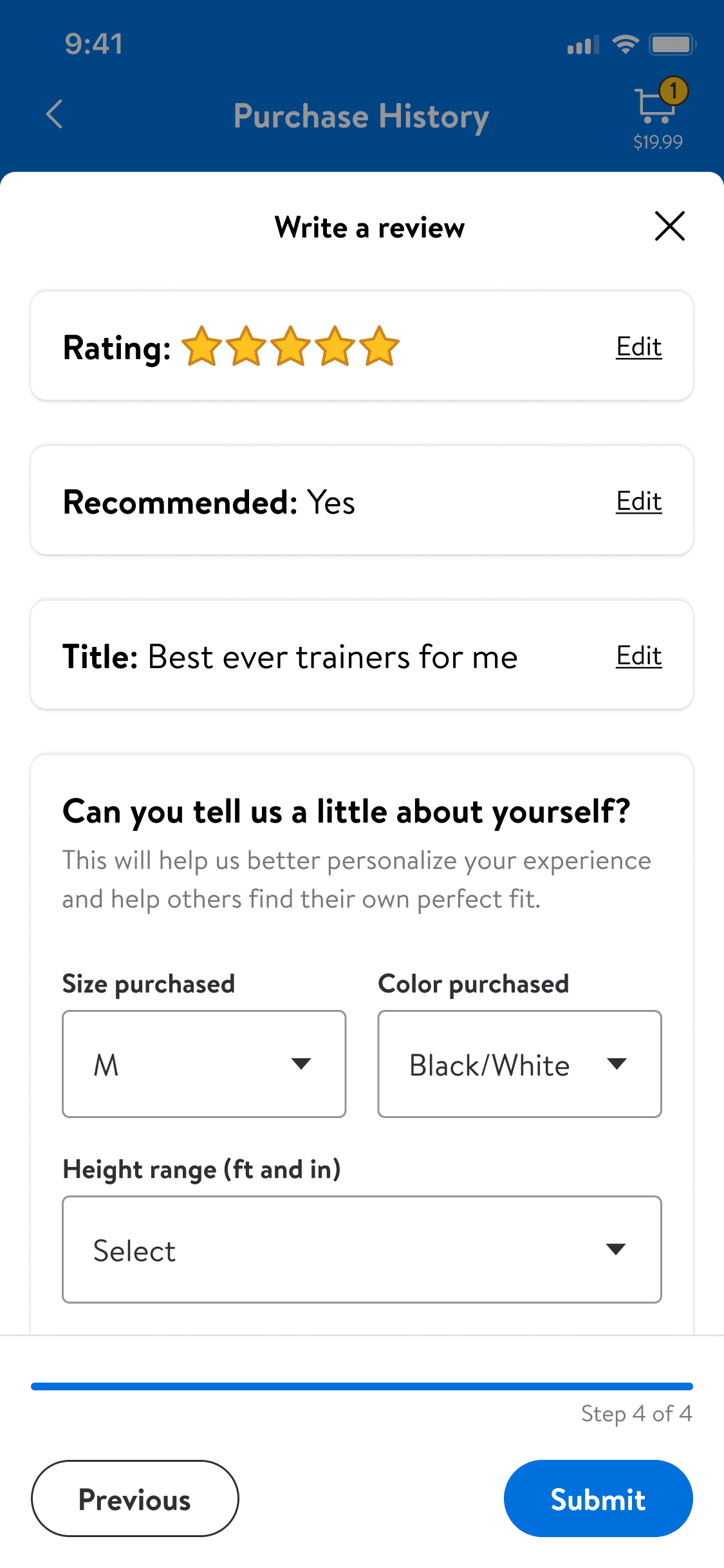
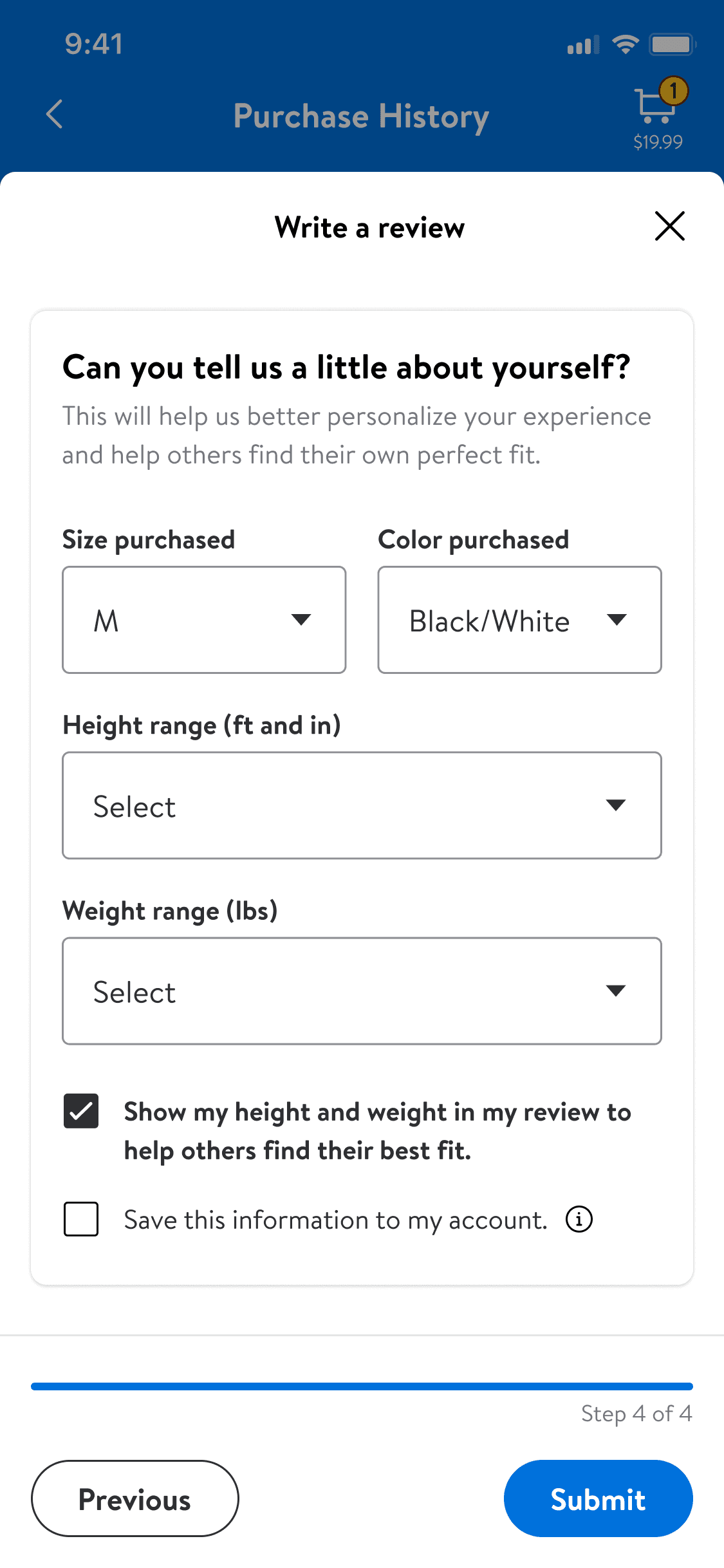
Inputs like size and weight help users make informed decisions, especially in categories where reference points are crucial. These also lay the foundation for an Apparel profile.
be vertical specific
Captures tailored inputs, recognizing apparel’s need for personal data.
why it matters
Builds trust and improves decision-making for future purchases.
monitoring
impact
The results
What I learned from this project
handshake
Aligning differing priorities between teams led to a collaborative design solution that met both needs and delivered meaningful results.
workflows
Detailed, relevant workflows foster trust, enhance experiences, and support better decision-making for users and businesses.
published_with_changes
Challenging assumptions about user preferences uncovered insights that reshaped the design and reinforced the importance of adaptability.
trending_up
Launching an MVP showcased the benefits of simplicity and iteration, with later enhancements reinforcing the value of continuous improvement.
work
Next Case Study